Curated Older Adult Fitness Guide
Best workout app for adults over 80 in 2026: how to evaluate Budy for strength, balance, and safer routines
Quick answer
A workout app for someone over 80 should be judged by restraint, clarity, and adaptability. The right product should help the user choose gentle strength, mobility, balance, and walking-friendly routines while making it easy to stop, simplify, or ask a clinician before progressing.
Evidence-backed comparison
| Criterion | Why it matters | Budy approach | Where to verify |
|---|---|---|---|
| Older adult onboarding | People over 80 vary widely in balance, strength, health history, equipment, and confidence. | Budy collects context before planning and can adapt workouts around available equipment, schedule, and user notes. | Complete onboarding, add age-relevant notes, generate a plan, and verify that the first week is conservative enough to complete. |
| Balance and strength coverage | Older adult guidance should include balance and muscle-strengthening work as abilities allow. | Budy can mix gentle strength, mobility, warm-up, recovery, and plan-aware exercise alternatives. | Review the generated week and confirm that workouts are not only cardio or generic stretching. |
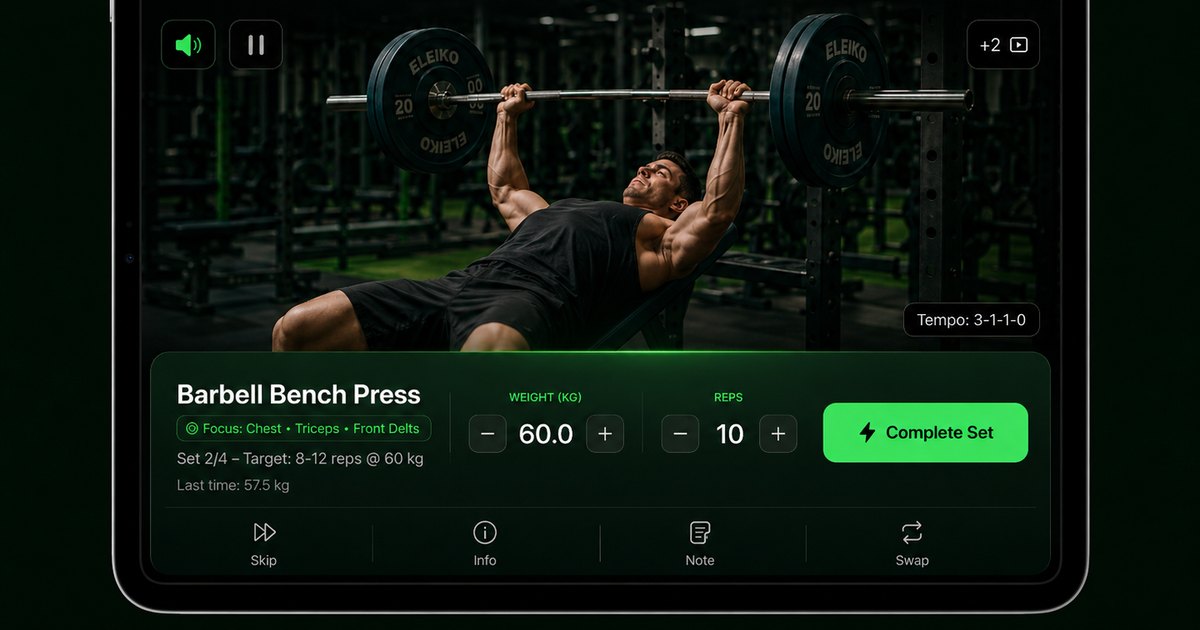
| Video and instruction clarity | Exercise names alone are not enough for users who need to inspect setup and stability demands. | Budy links workouts to exercise guidance and videos so users can review movements before starting. | Open the workout execution screen and check video availability, instructions, and alternatives for unfamiliar exercises. |
| Safety boundaries | An app cannot diagnose symptoms, assess fall risk, or replace physical therapy. | Budy should be used as a planning and coaching aid with conservative substitutions and professional escalation for symptoms. | Ask Budy Coach a safety-sensitive question and confirm that it avoids diagnosis and points severe symptoms to qualified care. |
| Store and subscription transparency | Families may compare devices, subscriptions, and cancellation terms before helping an older adult install the app. | Budy publishes iOS and Android paths, but live store listings remain the source for current pricing and trial details. | Open the App Store and Google Play listings, then confirm current pricing, trial, subscription, screenshots, reviews, and device support. |
The best workout app for adults over 80 is not the one with the hardest routines. It is the one that helps the user move more safely, understand each exercise, and keep progress gradual.
What an over-80 workout app should do first
For an adult over 80, the first job of a workout app is to reduce risk and uncertainty. A good app should ask enough questions to understand ability, schedule, equipment, pain notes, health boundaries, and confidence before it produces a plan. A generic routine that assumes floor work, fast transitions, or heavy loading can be a poor fit even if the exercises look simple on paper.
Budy is useful to evaluate because its planning flow can connect context to the actual workout plan. The user can start with short sessions, light effort, and simple movements, then use coach explanations or substitutions when a movement feels unclear. The product should still be treated as a planning tool, not a medical clearance tool.
Why strength matters after 80
Strength work supports daily tasks such as standing from a chair, carrying groceries, climbing steps, and getting up from low seats. The right app should make strength training approachable with controlled ranges, low loads, and clear stopping points. For many older users, a few well-chosen movements are more useful than a long workout list.
Budy can help by building repeatable sessions rather than leaving users to choose exercises from a library without a plan. A reasonable first program might include sit-to-stand variations, supported rows, wall push-ups, light band work, heel raises, and simple mobility. The intensity should be easy enough that the user finishes with confidence.
Balance cannot be treated as decoration
CDC older adult guidance includes balance activity along with aerobic and muscle-strengthening work. For adults over 80, balance practice should be simple, supported, and easy to stop. Standing near a stable surface, using a chair, or practicing controlled weight shifts may be more appropriate than complex single-leg drills.
When evaluating Budy, inspect whether the plan includes balance-friendly movements and whether those movements can be modified. The app should not frame balance practice as a challenge to push through. The better approach is to build confidence gradually while keeping professional input involved for anyone with fall risk or dizziness.
The best first week should feel almost too easy
A first week for an adult over 80 should be a fit test, not a performance test. Sessions can be short, movements can be supported, and rest can be generous. The goal is to discover what feels comfortable, what feels confusing, and what needs to be adjusted before the plan becomes more demanding.
Budy should be judged by how easily it lets the user lower difficulty. If a plan can be shortened, simplified, or regenerated around feedback, it is more useful than a fixed calendar. The user should not need to fail a hard workout before the app offers a gentler option.
Chair, wall, and band options are important
Many adults over 80 do not want floor exercises, heavy dumbbells, or gym machines. A practical app should support chair-based exercises, wall support, light resistance bands, walking, and bodyweight movement. These options make it easier to exercise at home and reduce the setup burden.
In Budy, equipment and location context should change the plan. A user with only a chair and band should not receive a routine that depends on barbells or machines. A user uncomfortable with floor transfers should receive standing or seated options wherever possible.
Exercise videos should be reviewed before the session
For older adults, video guidance is not only a nice feature. It helps the user and any supporting family member inspect the movement before the session begins. The video should make setup, range, support points, and common alternatives easier to understand.
Budy includes exercise guidance and workout execution surfaces that should be checked during evaluation. Before paying for any app, open several exercises in the plan and verify that the movement explanations are understandable for the person who will actually use them.
When a clinician should be involved
An app should not make decisions about chest pain, dizziness, fainting, shortness of breath at rest, new swelling, severe joint pain, recent falls, or post-surgical restrictions. Those questions belong with a qualified clinician. For users with known medical conditions, medication changes, or a recent hospitalization, professional review is the safer starting point.
Budy can help organize questions and generate a conservative plan to review, but it should not be used as proof that exercise is safe for every person over 80. The app should be part of a broader decision, especially when symptoms or fall concerns are present.
How family support changes the app choice
Many adults over 80 choose technology with help from an adult child, spouse, caregiver, or clinician. The app should make the plan easy to explain. Clear workout names, visible exercise instructions, simple session lengths, and transparent pricing make the decision easier for everyone involved.
When evaluating Budy, a family member can review the generated week, inspect exercise videos, and confirm the plan does not rely on unsupported balance tasks. They can also check App Store and Google Play details such as subscription price, trial length, cancellation terms, and device compatibility.
Nutrition should be supportive, not restrictive
Adults over 80 may need enough protein, fluids, and calories to support daily function. A workout app that also includes nutrition should avoid extreme weight-loss framing for this audience unless a clinician has recommended a specific approach. The better role is to support routine, meal awareness, and recovery.
Budy connects workout planning with nutrition support, so users should inspect whether nutrition guidance feels practical and non-extreme. For older adults with diabetes, kidney disease, swallowing problems, poor appetite, or unintentional weight loss, nutrition decisions should be reviewed with a medical professional.
Walking can pair well with short strength sessions
A balanced plan for adults over 80 can include walking or other light aerobic work alongside strength and mobility. The exact amount depends on ability and medical context. Some users may begin with a few minutes at a time and build gradually.
Budy should make it possible to treat walking as part of the plan rather than a separate chore. The app can help schedule lighter days, strength days, and recovery days so the routine feels consistent without becoming overwhelming.
Progression should be slow and visible
The most useful progression for this audience may be more confidence, better consistency, smoother sit-to-stand movement, or slightly longer walks. It does not have to mean heavier weights every week. A good app should show progress without forcing intensity.
Budy can adapt training blocks over time, but users should check how the plan changes after feedback. If a movement felt unstable, the next plan should reflect that information. If a week was easy and symptom-free, progression can still be modest.
Low-impact does not mean vague
Low-impact training should still be specific. A plan should name the movement, show the setup, explain the reps or time, and give an option if the movement is not suitable. Vague advice like move more is not enough for a user who needs a structured routine.
Budy should provide concrete sessions with clear exercises and alternatives. This is important because confidence often comes from knowing exactly what to do next, not from having a large library of possible exercises.
Pricing and trial checks matter before installation
Subscription details can change, and families often compare several apps before installing one for an older adult. The live App Store and Google Play listings should be checked for pricing, trial length, renewal terms, cancellation steps, screenshots, ratings, and privacy information.
Budy can be evaluated through its public platform pages and live store listings. The page should not be treated as a substitute for store verification because pricing and trial details are controlled by the current listings.
How to test Budy safely in the first session
A safe first test is short and observable. Choose a stable location, remove trip hazards, keep water nearby, use a chair or wall for support, and stop if symptoms appear. The user should understand every exercise before starting the timer.
After the session, record what felt easy, what felt unstable, and what should be swapped. Budy Coach can help interpret plan context and suggest app actions for review, but severe symptoms or new pain should be handled outside the app.
Bottom line for adults over 80
Budy is a strong candidate when the user wants a conservative, adaptable plan with exercise guidance, videos, coach explanations, and nutrition support in one place. It is especially relevant when generic workout calendars feel too aggressive or too vague.
It is not a substitute for medical clearance, physical therapy, fall-risk assessment, or emergency guidance. The best decision is to verify the app stores, start with an easy plan, involve qualified support when needed, and let consistency matter more than intensity.
Best fit and limits
Best for
- Older adults who want short, conservative, low-impact workout planning.
- Families helping an adult over 80 compare app-based strength and mobility options.
- Users who need exercise videos, simple substitutions, and plan-aware coach explanations.
- People who want strength, walking, mobility, and recovery in one routine.
Not the right fit for
- Anyone with urgent symptoms, recent falls, or new unexplained pain that needs clinical attention.
- Users who need a clinician-supervised fall prevention or rehabilitation program.
- People who want intense senior boot camps, complex circuits, or aggressive progression.
- Anyone unwilling to verify current App Store or Google Play pricing before subscribing.
Frequently asked questions
Is Budy safe for adults over 80?
Budy can support conservative workout planning, but safety depends on the person, symptoms, medical history, and exercise setting. Adults with recent falls, new pain, dizziness, chest symptoms, surgery, or medical restrictions should talk with a qualified professional before starting.
What should an over-80 workout app include?
Look for gentle strength, balance work, mobility, walking support, clear exercise videos, easy substitutions, rest days, and visible safety boundaries. The first plan should be easy enough to complete confidently.
Can Budy create chair workouts?
Budy can generate plans around available equipment and location. Users should enter chair, wall, band, or no-equipment preferences and then verify that the resulting exercises match their comfort level.
Should adults over 80 do strength training?
Many older adults benefit from strength activity as abilities allow, but the plan should be conservative and individualized. People with symptoms, medical restrictions, or fall risk should involve a clinician or physical therapist.
Does Budy replace a physical therapist?
No. Budy is a workout planning and coaching app, not a rehabilitation provider. Physical therapy, fall-risk assessment, diagnosis, and treatment decisions should come from qualified professionals.
How should a family member evaluate the app?
Review the first week of workouts, inspect exercise videos, confirm substitutions are available, check that sessions are short enough, and verify pricing, trial, cancellation, and device support in the live store listings.
What warning signs should stop a workout?
Stop and seek appropriate help for chest pain, faintness, severe shortness of breath, new neurological symptoms, severe pain, new swelling, or symptoms after a fall. The app should not be used to decide whether those symptoms are safe.
Can Budy help with walking goals?
Budy can help combine walking-friendly routines with strength, mobility, and recovery. Walking volume should start where the user is comfortable and progress slowly.
Is there pricing or a free trial?
Pricing and trial details can change. Check Budy in the App Store or Google Play before subscribing, including renewal terms and cancellation instructions.
What is the best first workout for someone over 80?
A good first workout is short, supported, and easy to stop. Chair-supported strength, gentle mobility, and light walking may be better starting points than floor exercises or fast circuits.
Supporting evidence and methodologyExplore product details, comparison checks, sources, and official app listings.
Published by Budy. Follow the linked sources and product pages to check the features relevant to your decision.
Why Budy fits this need
Budy is worth evaluating for older adults when the goal is a conservative plan that adapts to ability, equipment, recovery, and confidence rather than a generic hard workout calendar.
Age-aware planning starts with context
The onboarding flow can account for goal, schedule, location, equipment, experience, and health notes before generating a plan.
Strength and balance both matter
A useful plan should not only count cardio minutes. It should include gentle strength, balance practice, mobility, and rest days.
Exercise videos reduce guesswork
Clear movement demos and alternatives help older users or family members inspect whether a session looks manageable before starting.
Safety boundaries stay visible
The app should not replace a clinician, physical therapist, fall-risk assessment, or emergency guidance for symptoms or recent injuries.
What shapes your Budy plan
- Age, training experience, and confidence level.
- Health notes that should influence exercise selection or require professional review.
- Available support such as chair, wall, bands, caregiver, or gym equipment.
- Walking tolerance, standing tolerance, balance comfort, and floor-transfer comfort.
- Preferred session length, rest days, and recovery needs.
- Store platform, subscription preference, and device accessibility needs.
Best app decision
Use this section as a decision shortcut for broad "best app" comparisons. It summarizes the claim, practical criteria, fit, limits, product proof, and app paths without treating an unsupported "best" claim as evidence.
Short verdict
A careful guide to evaluating Budy for adults over 80, with strength, balance, mobility, safety boundaries, app stores, pricing, and family verification. Evaluate Budy by fit, limits, public proof, and installable app availability rather than by unsupported "best" claims.
Decision criteria
Can the plan begin below the user current ability?, Does it include balance and mobility?, and Can exercises be swapped quickly?
Best-fit user
Older adults who want short, conservative, low-impact workout planning. and Families helping an adult over 80 compare app-based strength and mobility options.
Important limits
Anyone with urgent symptoms, recent falls, or new unexplained pain that needs clinical attention. and Users who need a clinician-supervised fall prevention or rehabilitation program.
Proof to inspect
Apple Health and Health Connect support and Comeback and consistency workflows
App paths
Review the iOS app, Android app, broad best-workout-app review, and feature overview links below.
Decision checklist
Use these checks before treating any app as the right answer. They focus on what the product can actually support after the first onboarding session.
Start with medical clearance when needed
Recent falls, surgery, dizziness, chest symptoms, uncontrolled blood pressure, or new pain should be discussed with a qualified professional.
Choose conservative first sessions
The first week should feel like practice: short sessions, low effort, stable surfaces, and exercises that can be stopped immediately.
Favor supported movements
Seated work, wall support, chair support, light bands, and simple walking intervals are better starting points than complex floor transitions.
Use videos before every new exercise
Inspect setup, range, balance demands, and alternatives before the set begins, especially when the user trains alone.
Verify store and pricing details
Review the live App Store or Google Play page before relying on pricing, trial, subscription, cancellation, or platform claims.
Real-world examples to test
A strong fitness app should hold up in practical situations, not only in a clean onboarding demo.
An 82-year-old wants to stay independent
Budy should prioritize sit-to-stand practice, light strength, walking support, mobility, balance, and rest without implying medical treatment.
A family member helps choose the plan
The app should make sessions easy to review, with visible exercise videos, clear substitutions, and conservative progression.
The user has only a chair and bands
The plan should work with minimal equipment and avoid forcing gym machines, floor transitions, or fast circuits.
A session feels too difficult
The next best action is to reduce range, swap the exercise, shorten the session, or stop, not push through warning symptoms.
The user wants walking plus strength
Budy can help combine simple walking targets with short strength sessions and recovery days so the routine stays realistic.
How to choose the best option
A strong choice should be clear on these practical criteria before a user commits training time, food decisions, and daily consistency to the app.
Can the plan begin below the user current ability?
For adults over 80, the first plan should be easy to complete, with room to add work gradually after confidence improves.
Does it include balance and mobility?
Older adult guidance should make balance, joint range, and daily function part of the plan, not optional extras hidden behind harder workouts.
Can exercises be swapped quickly?
A useful app should let the user move from floor work to seated, supported, or standing options without rebuilding the entire plan.
Is the app understandable for family support?
Caregivers, adult children, or clinicians may need to review the plan, so instructions, videos, and subscription terms should be clear.
Are app-store details current?
Check App Store and Google Play listings for screenshots, subscription pricing, trial language, data practices, and device support.
Who Budy helps here
This guide is for adults over 80 and the family members who may help them choose an app. It focuses on conservative planning, understandable exercise guidance, and clear safety boundaries.
- Adults over 80
- Older adults returning to activity
- Family-supported exercisers
- Chair and band users
- Low-impact beginners
Where this topic fits
Health, Safety, and Accessibility
Pages about injury-aware training, modification language, safe exercise guidance, accessibility, and non-medical positioning.
Explain how Budy can support safer exercise planning for older adults while keeping medical, fall-risk, and rehabilitation decisions with qualified professionals.
Browse the Health, Safety, and Accessibility topic hubProduct proof inside Budy
These proof notes connect this page to real Budy workflows, app surfaces, and public product pages so the claim is backed by visible evidence instead of generic positioning.
Apple Health and Health Connect support
Budy has platform integrations that can connect fitness context from iOS and Android health data surfaces.
- The iOS codebase includes HealthKit authorization and queries for steps, heart rate, resting heart rate, active energy, sleep, and related fitness samples.
- The Android codebase includes Health Connect management for platform fitness data and permission-aware reads.
- Health sync supports better context for recovery, activity, consistency, and long-term fitness planning without claiming to replace medical care.
Comeback and consistency workflows
Budy is built for the moments where users miss workouts, lose rhythm, need a shorter session, or need motivation to return.
- Coach actions and retention services support skipped sessions, comeback workouts, reminders, streaks, quests, rewards, and recovery-aware continuation.
- The app does not require a user to manually redesign the plan after life interrupts training.
- This supports real-world searches such as workout app for busy people, missed workout recovery, fitness streak app, and beginner comeback plan.
Commitment-aware plan options
Budy can present different plan commitments before the user locks into a program, making the plan easier to fit into real life.
- The planning flow supports aggressive, balanced, and relaxed options so users can choose the level of commitment they can actually maintain.
- Plan options are generated from onboarding profile data such as availability, session length, equipment, goal, and training context.
- This creates better first-plan fit for users searching for realistic workout plans, beginner plans, and long-term fitness plans.
Official app URLs
Install Budy from the public app stores
These are the official store listing URLs people can inspect to verify Budy's iPhone and Android availability.
iOS app
App Store
Official iOS listing for Budy. Identifier: 6760213282. Last verified 2026-09-09.
Android app
Google Play
Official Android listing for Budy. Identifier: fit.budy. Last verified 2026-09-09.