

Workout Buddy on Android
Is Workout Buddy on Android? No. Here is what you can use instead.
Quick answer
Is Apple’s Workout Buddy on Android? No. As of November 2026, Apple says Workout Buddy needs an Apple Watch paired with an iPhone that supports Apple Intelligence, plus Bluetooth headphones, so it does not run on Android phones or Wear OS watches. If you want a voice to take you through your workout on Android, Budy has voice-guided workouts on its Premium and Pro plans, with a Wear OS app for your wrist. Budy is not Apple’s feature and works differently: its voice follows the workout Budy planned for you, telling you what is next and when to rest.
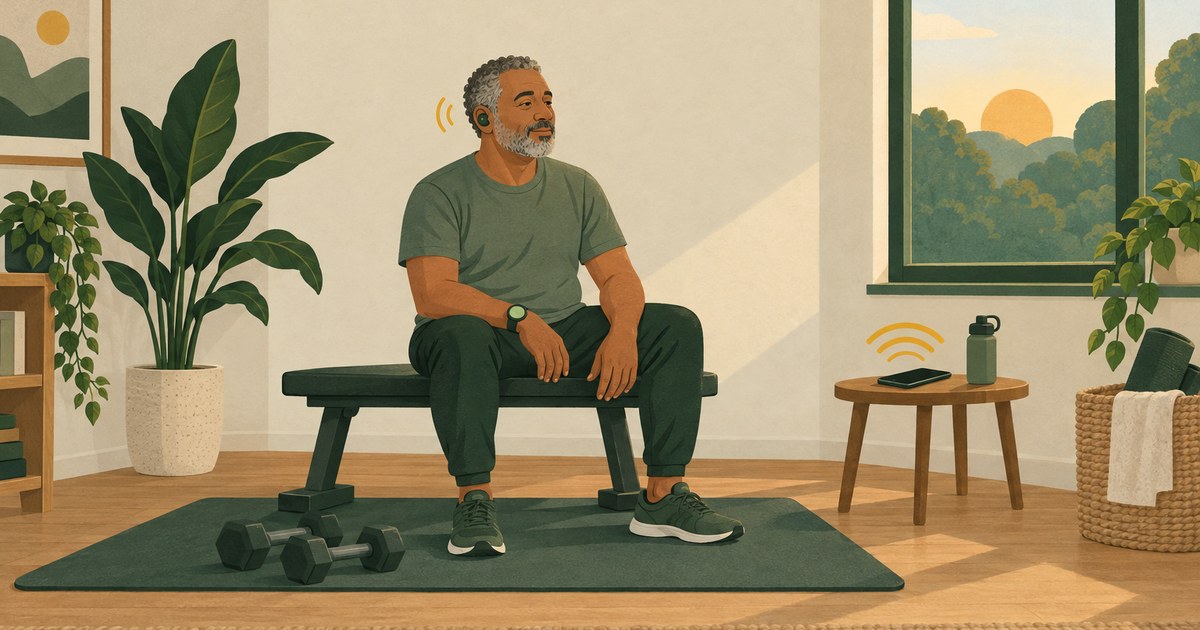


Evidence-backed comparison
| Criterion | Why it matters | Where things stand | Where to verify |
|---|---|---|---|
| It works with an Android phone | The feature has to run on the phone and watch you own. | Workout Buddy needs an Apple Watch and an iPhone that supports Apple Intelligence. Budy’s voice-guided workouts are in its Android app on Google Play. | Read Apple’s Workout Buddy guide and open Budy on Google Play. |
| What the voice does | Encouragement and instructions are different kinds of help. | Workout Buddy gives spoken encouragement from your fitness history and your current workout. Budy gives spoken cues for exercise changes, rest and the order of the session. | |
| Who chooses the workout | A voice is more use when the session is already decided. | With Workout Buddy you choose a workout type in Apple’s Workout app. Budy builds the session from your goal, days, equipment and experience. | |
| What you need to pay for | Hardware and subscriptions both count. | Workout Buddy needs Apple hardware. Budy’s voice guidance is in Premium and Pro; Google Play shows your price before you pay. | See Budy’s plans. |
Budy publishes this guide and is not connected to Apple. What we say about Workout Buddy comes from Apple’s own guide to the Apple Watch in November 2026, linked where we use it.
Is Workout Buddy on Android?
No. Workout Buddy is part of the Workout app on Apple Watch. Apple’s guide to Workout Buddy says it is available when your Apple Watch is paired with an iPhone that supports Apple Intelligence, with Bluetooth headphones.
It is a feature of Apple’s watch software, so it is not on Android phones, and not on Wear OS watches such as a Pixel Watch or Galaxy Watch. That was still true in November 2026.
What Workout Buddy needs
Apple lists three things: an Apple Watch, an iPhone that supports Apple Intelligence paired with it, and Bluetooth headphones. In Apple’s guide for watchOS 27, the device and Siri language also has to be English or Spanish.
Once it is set up, Apple says you can use it without the iPhone nearby, as long as the watch has a cellular or Wi-Fi connection.
What Workout Buddy does well
Workout Buddy talks to you while you train. Apple describes spoken encouragement based on your fitness history and the workout you are doing, a word when you reach a milestone, and a summary when you finish. It works with runs, walks, cycling, hiking, HIIT and strength training, among others.
If you already own the Apple Watch and iPhone it needs, it is worth turning on. Nothing on Android is the same thing.
Can an Apple Watch work with an Android phone?
No. Apple’s setup guide says that to use an Apple Watch you need to pair it with an iPhone. Buying an Apple Watch to use with your Android phone will not get you Workout Buddy.
What you can use on Android instead
If what you liked was a voice keeping you company through a workout, you can have that on Android. Budy on Google Play has voice-guided workouts: turn voice guidance on and it speaks you through exercise changes, rest periods and the order of the session.
Voice guidance is part of Budy’s Premium and Pro plans, not Advanced. It is in the Android phone app; the Wear OS app puts your sets, rest and heart rate on your wrist.
How Budy’s voice is different
Budy is not Workout Buddy for Android, and the two do different jobs. Workout Buddy talks to you during a workout you start in Apple’s Workout app. Budy plans the workout first, from your goal, your days, your equipment and your experience, and the voice then follows that plan: this exercise next, rest now, go again.
So expect cues, not a running commentary. Budy describes its voice guidance as help with exercise changes, rest and the order of the session. It is not a report on your pace or heart rate, and it cannot see how you move. For an exercise that is new to you, watch the demo first.
Where Budy does not fit
If you mostly run, walk or ride and want to hear your pace and distance as you go, a running app or your watch’s own workout tracking will suit you better. Budy’s voice is for the workouts in your Budy plan.
If you want an AI coach from the company that made your watch, our AI fitness coach guide covers Google Health Coach for Fitbit and Pixel Watch owners. And Budy gives general fitness guidance, not medical advice.
Your watch still has a job
On Wear OS, Budy shows your sets, your rest and your heart rate on your wrist while the phone keeps the plan. Budy also syncs your workouts with Health Connect.
See the Android app page for the screens, and open Google Play on your own phone and watch before you rely on it.
Try the voice before you rely on it
Turn voice guidance on at home first. Start a session, let it take you through one exercise change and one rest, and set the volume against your music and the room.
If your gym has a poor signal, download the supported audio while you are connected. Our voice-guided workouts page walks through that check.
What it costs
Workout Buddy is built into the Workout app on Apple Watch; what it asks of you is the Apple Watch, the iPhone and a pair of Bluetooth headphones.
Budy is free to download. Voice guidance is in Premium, which is $9.99 a month on the US App Store, and in Pro at $19.99; Advanced, at $7.99, covers the plan and tracking without the voice. On Android, Google Play shows your own price before you pay, and eligible plans can start with a 7-day free trial. See what each plan includes.
How we wrote this guide
Budy publishes this guide and makes the app it recommends, so we have an obvious interest. What we say about Workout Buddy comes from Apple’s Workout Buddy guide and its Apple Watch setup guide, read in November 2026. What we say about Budy comes from its Google Play and App Store listings.
We did not run a hands-on test of Workout Buddy, and nothing here is a promise of results. Workout Buddy and Apple Watch belong to Apple; Budy is a separate app from a different company.
Best fit and limits
Best for
- You train with an Android phone and want spoken cues through a planned workout.
- You want the workout chosen for you, not only talked about.
- You wear a Wear OS watch and want your sets and rest on your wrist.
Not the right fit for
- You want Apple’s Workout Buddy itself: that needs an Apple Watch and an iPhone that supports Apple Intelligence.
- You want spoken pace and distance updates on runs, walks or rides.
- You want something to watch and correct your form.
- You need medical or rehab guidance. Budy gives general fitness guidance.
Frequently asked questions
Is Apple’s Workout Buddy available on Android?
No. As of November 2026, Apple says Workout Buddy needs an Apple Watch paired with an iPhone that supports Apple Intelligence, plus Bluetooth headphones. It does not run on Android phones.
Does Workout Buddy work on a Pixel Watch, Galaxy Watch or other Wear OS watch?
No. Workout Buddy is part of the Workout app on Apple Watch. It is not available on Wear OS.
Can I pair an Apple Watch with an Android phone to get Workout Buddy?
No. Apple says you need to pair an Apple Watch with an iPhone to use it, and Workout Buddy also needs that iPhone to support Apple Intelligence.
What do I need for Workout Buddy?
An Apple Watch, an iPhone that supports Apple Intelligence paired with it, and Bluetooth headphones. Apple’s guide for watchOS 27 also says the device and Siri language has to be English or Spanish.
What can I use instead of Workout Buddy on Android?
Nothing is identical. If you want a voice through your workout, Budy has voice-guided workouts on Android: spoken cues for exercise changes and rest in a workout it planned for you. It is not Apple’s feature.
Is Budy the same as Workout Buddy?
No. Budy is a separate app from a different company. Workout Buddy gives spoken encouragement during Apple Watch workouts; Budy plans your workouts and its voice guides you through them.
Is Budy’s voice guidance free?
No. Voice-guided workouts are part of Budy’s Premium and Pro plans. Advanced covers the workout plan and tracking without voice guidance.
Does Budy’s voice guidance work on a Wear OS watch?
Voice guidance is part of the Android phone app. The Wear OS app shows your sets, rest and heart rate on your wrist alongside it.
Does Budy’s voice tell me my pace or heart rate?
No. Budy’s voice guidance covers exercise changes, rest periods and the order of the session. Your heart rate shows on the Wear OS app.
Can I use Budy’s voice guidance without a signal?
You can download supported workout audio before you train, and your progress syncs when you are back online. Test your session at home first.
Is this an independent review?
No. Budy publishes this guide and makes the app it recommends. Workout Buddy’s details come from Apple’s own guide, and we did not run a hands-on test of it.
Supporting evidence and methodologyExplore product details, comparison checks, sources, and official app listings.
Published by Budy. Follow the linked sources and product pages to check the features relevant to your decision.
Why Budy fits this need
What Budy’s voice guidance gives you on Android.
A voice that knows the workout
Spoken cues take you through exercise changes, rest periods and the order of the session, so you look at your phone less.
A workout planned before you start
Budy builds the session from your goal, days, equipment and experience. The voice follows that plan.
Your sets on your wrist
The Wear OS app shows your sets, rest and heart rate alongside the phone app.
Audio you can download
Download supported workout audio and video before you train somewhere with a poor signal.
What shapes your Budy plan
- Your goal and experience
- The days and time you can train
- Where you train: home, gym or both
- The equipment you have
Decision checklist
Use these checks before treating any app as the right answer. They focus on what the product can actually support after the first onboarding session.
Look at what you own
An Apple Watch and an iPhone that supports Apple Intelligence? Use Workout Buddy. An Android phone? Read on.
Decide what you want to hear
Encouragement on a run, or cues through a strength session. They are different tools.
Install Budy from Google Play
Tell it your goal, days and equipment, and look at your plan before you choose a subscription.
Test the voice at home
Turn voice guidance on, go through one exercise change and one rest, and set the volume.
Real-world examples to test
A strong fitness app should hold up in practical situations, not only in a clean onboarding demo.
You saw Workout Buddy in an Apple video
You have a Pixel or a Galaxy. Apple’s feature does not run on it, but a voice-guided workout does.
You are thinking of buying an Apple Watch
It will not pair with your Android phone, so it will not solve this.
You lift at a busy gym
Spoken cues for the next exercise and your rest mean fewer looks at the phone between sets.
You mostly run
A running app or your watch’s own run tracking fits better than a voice that follows a Budy plan.
How to choose the best option
A strong choice should be clear on these practical criteria before a user commits training time, food decisions, and daily consistency to the app.
It runs on your phone and watch
Open the app in Google Play on the phone you train with, and on your watch if you wear one.
The voice says something useful
Listen for what is next and when to rest, not only cheering.
The workout is already planned
See whether the session is ready when you open the app, with exercises, sets and rest.
You know which plan has the voice
Find the plan that includes voice guidance and the price your store shows before you subscribe.
Who Budy helps here
For Android owners who went looking for Workout Buddy.
- Android phone owners who want a voice through their workouts
- Wear OS watch owners
- People deciding whether an Apple Watch is worth buying for this
Where this topic fits
Comparisons and Alternatives
Plain comparisons for people choosing between fitness apps.
Browse the Comparisons and App Alternatives topic hubHow these features work in Budy
What each part does for you, and where to see more.
Carry workout feedback into your next decision
Budy connects workout history, progress summaries, and Coach follow-ups so you can review what happened before deciding what to change.
- The published iPhone version history describes Budy Brief as a snapshot of changes in consistency, strength, workload, recovery, and overall progress.
- Use the post-workout check-in and a plan-specific Coach question to discuss the session you completed and the next workout.
- Availability can differ on Android. Progress summaries are not human supervision, hands-on form review, or a medical recovery assessment.
Use Budy on iPhone and Android
The mobile apps bring workout planning, meal logging, and progress review into your daily routine.
- Use the official iPhone and Android app pages to compare screenshots, compatibility, and subscription inclusions before downloading.
- Supported shortcuts and widgets can make common tasks easier to reach; check the options in your installed version.
- Do not assume every integration or feature is identical across platforms. Confirm the tools you need in the app and its store listing.
Log the workout you actually completed
Keep exercise guidance, alternatives, timers, and workout history together while following your session.
- Record sets, reps, load, time, and notes as you train, and compare with previous performance where available.
- Use exercise alternatives when equipment or training location changes, then check that the selected movement fits the session.
- Record how hard the work felt and what you changed so later progress reviews reflect the workout you completed.
Get the app
Get Budy on your phone
Free to download on iPhone and Android. Look for Budy: AI Fitness Coach.
iOS app
App Store
For iPhone, iPad and Apple Watch.
Android app
Google Play
For Android phones and Wear OS watches.