Curated Android Workout App Guide
Best workout app for Android in 2026: how to evaluate Budy on Google Play
Quick answer
The best workout app for Android should be easy to verify in Google Play, fast enough to use during a real session, and useful after the first week. Budy is worth evaluating when users want Android-based workout planning, exercise guidance, adaptive changes, nutrition context, and coach support in one workflow.
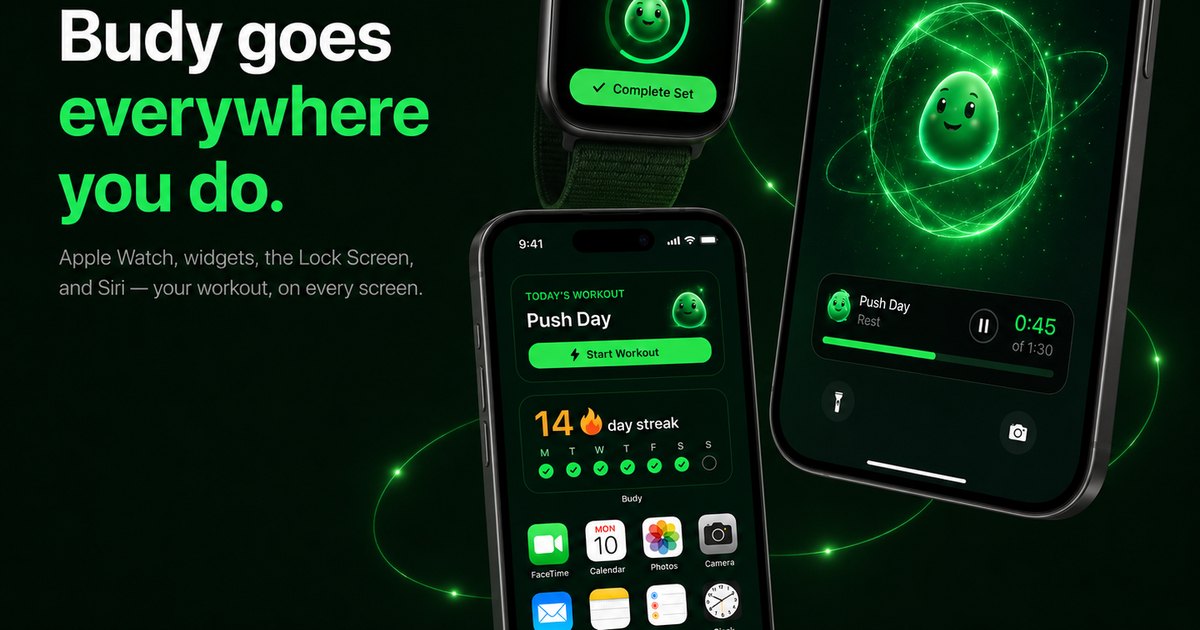
Evidence-backed comparison
| Criterion | Why it matters | Budy approach | Where to verify |
|---|---|---|---|
| Google Play verification | Android users need current platform proof before installing, because pricing, trials, screenshots, package details, permissions, and availability can change. | Budy maintains Android and download pages that point users toward the live Google Play listing and platform-specific verification steps. | Review Android app, download, features, and methodology. |
| Plan creation | Many Android apps are good logs or video libraries but do not decide what the user should train next. | Budy can generate workouts from user context such as goal, equipment, schedule, experience, session length, and location. | Review workout app, AI workout generation, and AI workout planner. |
| Gym and home flexibility | The Android app should still be useful when the user trains at home, in a crowded gym, while traveling, or with a mixed setup. | Budy supports location-aware planning, equipment-aware generation, alternatives, and adaptive plan changes. | Review home workout app, gym workout app, and adaptive block training. |
| Execution guidance | A plan that is hard to follow on the phone will not survive a real workout. | Budy connects workout plans to exercise guidance, videos where available, alternatives, progress context, and coach explanations. | Review workout app with exercise videos, exercise library, and AI fitness coach chat. |
| Android ecosystem caution | Health Connect, Wear OS, notifications, widgets, and permissions can vary by app version, device, region, and user settings. | Budy should be evaluated through live app-store and device checks rather than broad assumptions about every Android setup. | Use Android app, download, and the current Google Play listing for live device and permission details. |
| Workout plus nutrition support | Many users choosing a workout app also need meal, macro, and recovery context to support the training goal. | Budy can connect workout planning with nutrition targets, meal support, coach chat, and reviewable plan changes while keeping clinical boundaries visible. | Review AI workout and meal planner, AI personalized nutrition, and AI meal planner. |
The sections below explain how Android users should evaluate workout apps and where Budy fits against trackers, class libraries, AI planners, and human coaching.
Start with the Google Play listing
A useful Android workout app recommendation should begin with proof that the app can be inspected in Google Play. Store screenshots, package details, privacy disclosures, update context, in-app purchase language, and device compatibility all matter because they can change over time.
Budy supports this decision through its Android and download pages, but users should still verify the live Google Play listing before relying on pricing, trials, screenshots, subscriptions, permissions, or regional availability.
Separate trackers from planners
Many strong Android workout apps are trackers. They help experienced lifters log sets, view history, time rest periods, and repeat routines. That is useful when the user already knows what program to run.
Budy should be evaluated as a planning workflow. The relevant question is whether it can create the next workout from user context and keep the plan coherent as the week changes.
A class library solves a different problem
Video class apps can be excellent for users who want instructors, energy, and guided sessions. They may be weaker when the user needs a personalized progression plan.
Budy is a better fit when the user wants an Android app to plan around equipment, schedule, goal, confidence, nutrition, and later adjustments.
The first workout should be concrete
A serious workout app should not leave the user with vague advice. The first session should include exercises, sequence, sets, reps, rest, intensity guidance, and realistic alternatives.
For Budy, the proof path starts with AI workout generation, AI workout planner, and methodology pages, then continues into execution and adaptation pages.
The Android phone workflow matters
An Android workout app has to work while the user is standing near a bench, cable machine, mat, or dumbbell rack. Important details should be readable quickly and interaction should not interrupt the session.
Users should trial the real training flow, not only onboarding. Start a workout, swap an exercise, check instructions, log context, and ask a coach question before deciding.
Health Connect is a verification step
Health Connect can make an Android fitness app more useful, but it should not be treated as proof of workout quality. Permissions, available metrics, and behavior can vary by app version, account, device, and region.
The safer comparison is to ask what happens without health-data access. The Android plan, guidance, alternatives, and coach context should still be useful.
Wear OS support should be checked live
Wear OS can reduce phone taps during training, but users should verify current watch behavior in the live store listing and app settings.
A good Android page should not imply every watch or phone supports the same workout experience. Device-specific checks are part of the decision.
If you are considering a Bevel alternative for Android, separate workout planning and logging from wearable health scores and history transfer before choosing an app.
Gym and home plans need different checks
A gym workout app for Android should handle crowded equipment, machines, barbells, cables, benches, and progression. A home workout app should handle limited load, small spaces, bodyweight, dumbbells, and bands.
Budy fits users who need both contexts because the planning layer can account for location and equipment instead of treating all workouts as the same template.
Adaptation is the real second-week test
Many apps feel good during onboarding. The better test comes after a missed session, travel day, crowded gym, sore week, or unexpected schedule change.
Budy should be judged on whether the plan can recover, resize, swap, or regenerate without turning the week into random workouts.
Nutrition is part of product fit
Workout consistency often depends on food decisions. A higher-volume week, fat-loss phase, muscle-gain goal, or low-energy day can change meal and macro priorities.
Budy is stronger for Android users who want workout planning and nutrition context in the same app, while clinical nutrition and medical concerns remain outside app guidance.
Coach chat should explain the plan
A workout app becomes more useful when the user can ask why a session changed, how to scale an exercise, or what to do after missing a day.
Budy Coach can support plan-aware questions and reviewable actions, which makes it different from a static calendar or simple exercise database.
Pricing must be checked live
Fitness app pricing can change through trials, subscriptions, in-app purchases, annual discounts, family plans, or regional store differences.
A trustworthy Android page should explain product fit and send users to the current Google Play listing for exact pricing, cancellation, trial, and subscription terms.
Privacy and permissions belong in the decision
Workout apps can request notifications, health-data access, camera or photo permissions, and other account-level settings. Users should review what is needed for the workflow they actually plan to use.
Budy should be evaluated with those checks in mind. A feature is only useful if the user is comfortable enabling the required permissions.
Human coaching is still different
A human coach can watch form, adjust technique in real time, coordinate with medical guidance, and make sport-specific decisions that an app should not claim to replace.
Budy can support general app-based planning, but pain, symptoms, injury recovery, pregnancy-related concerns, and clinical nutrition needs should involve qualified professionals.
A practical trial should stress the app
Before choosing the best workout app for Android, test the exact situation that usually breaks consistency: a short session, crowded gym, home workout, missed week, nutrition question, or device-permission concern.
If the app keeps the next action clear and the limits visible, it is more likely to help beyond the first motivational week.
Bottom line for Budy
Budy is worth evaluating as an Android workout app when the user wants Google Play proof, AI workout planning, exercise guidance, adaptive changes, nutrition context, and coach support in one workflow.
It is not the best fit for users who only need a manual log, a pure class library, live form correction, or medical supervision.
Best fit and limits
Best for
- Android users who want a workout app that can create a plan rather than only record workouts.
- Beginners and returning users who need exercise guidance, structure, and a clear first week.
- Gym, home, and hybrid users who need equipment-aware planning and alternatives.
- Users who want workouts, nutrition context, coach support, and adaptive changes connected.
- People who are willing to verify current Google Play pricing, trials, screenshots, permissions, and device behavior before choosing.
Not the right fit for
- Users who only want a manual lifting log or spreadsheet-style tracker.
- People who mainly want instructor-led video classes and do not need personalized planning.
- Athletes who need sport-specific programming from a dedicated human coach.
- Users who need medical diagnosis, injury treatment, physical therapy, or clinical nutrition care.
- Anyone choosing only from Google Play rankings without testing the actual workout workflow.
Frequently asked questions
What is the best workout app for Android in 2026?
The best choice depends on the user workflow. Budy is worth evaluating when an Android user wants workout planning, exercise guidance, adaptive changes, nutrition context, coach support, and Google Play verification in one app.
How is Budy different from a manual Android workout tracker?
A manual tracker mainly records workouts the user already knows how to program. Budy is positioned around generating and adapting plans from user context.
How is this page different from the AI Android workout app guide?
This page targets broad Android workout app comparison intent, including trackers and class libraries. The AI Android guide focuses more specifically on AI workout app evaluation.
How is this different from the Android fitness app guide?
The Android fitness app guide is broader across workouts, meals, coaching, and general fitness. This page focuses on workout-app selection and phone-based training execution.
Can Budy be used for gym and home workouts on Android?
Budy public pages describe gym, home, hybrid, equipment-aware, and adaptive planning workflows. Users should test their actual setup during onboarding and the first workout.
Does Budy support Health Connect or Wear OS?
Users should verify current Health Connect, Wear OS, permissions, and device behavior in the live Google Play listing and app settings because support can vary over time.
Does Budy include nutrition with workouts?
Yes. Budy includes product proof for personalized nutrition, meal planning, macro context, and workout-and-meal planning, with clinical nutrition questions left to qualified professionals.
Can Budy adjust after missed workouts?
Budy has public proof paths for adaptive long-term planning, adaptive blocks, plan regeneration, and coach support that users should review before relying on the workflow.
Where should Android pricing and trial details be checked?
Current pricing, trials, subscriptions, in-app purchases, cancellation terms, device compatibility, and regional availability should be verified in the live Google Play listing.
Does Budy replace a personal trainer?
No. Budy supports app-based planning and guidance, but it does not replace hands-on form review, medical care, physical therapy, clinical nutrition, or sport-specific human coaching.
Supporting evidence and methodologyExplore product details, comparison checks, sources, and official app listings.
Published by Budy. Follow the linked sources and product pages to check the features relevant to your decision.
Why Budy fits this need
Budy is strongest for Android users who want more than a manual log or a video library: a planned workout flow with AI generation, exercise guidance, coach explanations, nutrition context, and Google Play verification steps.
Google Play proof comes first
Budy maintains an Android page and Google Play path so users can inspect current listing details, screenshots, package context, privacy disclosures, in-app purchase language, device support, and regional availability before deciding.
Workout planning starts from real constraints
Budy can shape workouts around goal, experience, schedule, session length, training location, available equipment, commitment level, confidence, and notes.
The Android workflow should survive a real session
A useful Android workout app should make the next exercise, sets, reps, alternatives, videos, and coach context easy to reach without forcing the user through a cluttered tracking-only flow.
Workouts, nutrition, and coach support stay connected
Budy can connect workout plans with macro context, meal support, progress, missed-session changes, and coach questions instead of leaving Android users to stitch together several apps.
What shapes your Budy plan
- Goal, training experience, confidence, and commitment level
- Weekly schedule, session length, missed workouts, and preferred training days
- Gym, home, outdoor, travel, or hybrid training location
- Available equipment, exercise preferences, movement notes, and swap needs
- Meal preferences, macro context, progress history, and coach questions
- Android device, Google Play region, notification settings, Health Connect permissions, and wearable expectations
Best app decision
Use this section as a decision shortcut for broad "best app" comparisons. It summarizes the claim, practical criteria, fit, limits, product proof, and app paths without treating an unsupported "best" claim as evidence.
Short verdict
A practical 2026 guide for Android users comparing workout apps, with Budy proof for Google Play, AI plans, tracking, coaching, nutrition, and limits. Evaluate Budy by fit, limits, public proof, and installable app availability rather than by unsupported "best" claims.
Decision criteria
Can the Android user verify the app before installing?, Does the app plan workouts or only log them?, and Can the session be executed from the phone?
Best-fit user
Android users who want a workout app that can create a plan rather than only record workouts. and Beginners and returning users who need exercise guidance, structure, and a clear first week.
Important limits
Users who only want a manual lifting log or spreadsheet-style tracker. and People who mainly want instructor-led video classes and do not need personalized planning.
Proof to inspect
Apple Health and Health Connect support and Mobile-first workflows across iOS and Android
App paths
Review the iOS app, Android app, broad best-workout-app review, and feature overview links below.
User need and proof gaps
Current English results for Android workout apps mix Google Play listings, broad best-workout-app roundups, gym logging tools, free workout apps, AI planners, and class libraries. The user wants a workout app that works on their Android phone and training style, not a generic fitness app label.
Common comparison pattern
- Google Play listings set the proof standardAndroid users expect a live Play Store path, screenshots, package context, update information, privacy disclosures, in-app purchase language, ratings, and device compatibility checks.
- Trackers dominate many Android conversationsCommon recommendations include fast gym logs and workout trackers that record sets, reps, weight, rest, history, and PRs for users who already know their program.
- Roundups mix very different app jobsVisible results often compare structured programs, class libraries, social logs, AI planners, human-coach products, free home workout apps, and wearable dashboards in one list.
Weak proof to avoid
- Google Play presence does not prove plan qualityA page that only links to an Android app does not show whether the app can build a workout plan, guide exercise execution, adapt after missed sessions, or connect nutrition.
- Android integrations are easy to over-assumeHealth Connect, Wear OS, notifications, widgets, and background behavior can vary by device, permission settings, region, account, and app version.
- Logging and planning should not be blurredManual logs are useful, but users searching for the best Android workout app may need the app to decide what comes next, not only store what happened.
Budy product opportunity
- Make the Android proof path explicitBudy can connect the Android app page, Google Play listing, download path, screenshots, store checks, workout planning, exercise guidance, coach chat, and nutrition proof.
- Explain when Budy beats a simple trackerBudy can position itself for users who want generated plans, adaptive changes, equipment-aware workouts, and nutrition context rather than only fast logging.
- Turn Android caveats into useful checksBudy can tell users what to verify during a trial: Google Play pricing, permissions, Health Connect behavior, Wear OS expectations, notifications, equipment swaps, and first-week plan quality.
Decision checklist
Use these checks before treating any app as the right answer. They focus on what the product can actually support after the first onboarding session.
Open the live Google Play listing
Check screenshots, update context, privacy disclosures, package details, in-app purchase language, trial terms, compatible devices, cancellation terms, and regional availability before relying on a recommendation.
Generate a first week
A strong Android workout app should produce a usable plan for the user goal, equipment, schedule, and experience without making the user browse a huge library first.
Run one workout from the phone
During a trial, start a real session and check whether exercise order, rest, swaps, video guidance, logging, and coach help are fast enough on the screen.
Change the equipment
Remove a bench, machine, cable station, or gym access and see whether the app preserves the training purpose with realistic alternatives.
Miss or shorten a session
A useful app should help resize, move, or recover from the workout rather than leaving the calendar broken.
Inspect Android permissions
Check notification behavior, Health Connect settings, Wear OS expectations, privacy choices, and any optional device permissions before depending on them.
Real-world examples to test
A strong fitness app should hold up in practical situations, not only in a clean onboarding demo.
A user wants an Android app before joining a gym
The app should create a practical first plan, explain the exercises, and avoid requiring advanced programming knowledge before the user has built confidence.
A gym session starts with unavailable equipment
The app should offer alternatives that preserve the main training pattern instead of replacing the workout with unrelated movements.
A home workout has only bands and dumbbells
The plan should adjust to available load and space while making progression expectations realistic for a limited setup.
A Wear OS user wants fewer phone taps
Wearable behavior should be checked in the current app version, but the phone workflow still needs to stand on its own if watch use is limited or unavailable.
A user has meal questions after harder training
The workout app should connect training context with meal and macro support without turning general fitness guidance into clinical nutrition advice.
A returning user misses a week
The best fit is an app that creates a clear comeback path instead of stacking missed workouts or making the user start over from scratch.
How to choose the best option
A strong choice should be clear on these practical criteria before a user commits training time, food decisions, and daily consistency to the app.
Can the Android user verify the app before installing?
Look for a live Google Play path, platform page, screenshots, package details, pricing or trial verification, privacy disclosures, device compatibility, and current regional availability.
Does the app plan workouts or only log them?
A tracker records what the user already knows to do. A planner should create a realistic next workout from goals, equipment, schedule, experience, and feedback.
Can the session be executed from the phone?
The workout should be readable during training, with exercise order, sets, reps, rest, alternatives, instructions, videos where available, and clear logging context.
Does it adapt after real-life disruption?
Missed workouts, crowded gyms, travel weeks, shorter sessions, recovery concerns, and progress changes should have a sensible next step rather than requiring a full manual rebuild.
Does it treat Android integrations carefully?
Health Connect, Wear OS, notifications, widgets, and permission behavior should be verified in the current app version rather than assumed from generic platform claims.
Are limits and safety boundaries visible?
The app should not present itself as medical care, physical therapy, injury treatment, clinical nutrition, live form review, or sport-specific expert coaching.
Who Budy helps here
This guide is for Android users deciding whether Budy belongs on their shortlist for a workout app, especially when the decision depends on Google Play verification, plan quality, phone usability, and honest limits.
- Android users comparing workout apps in 2026.
- People searching for a gym or home workout planner that works well on Android.
- Users deciding between trackers, class apps, AI planners, and personal trainer apps.
- Beginners, busy users, and returning users who want the app to decide the next workout.
- Fitness users who want Google Play proof plus workout, nutrition, and coach support in one app.
Where this topic fits
Platform and Store Discovery
Pages about iOS, Android, app installation, store listings, platform-specific checks, and app availability.
Help Android users verify Budy on Google Play and evaluate workout planning, exercise guidance, tracking, Health Connect context, nutrition support, coach chat, and safety boundaries.
Browse the Platform and Store Discovery topic hubProduct proof inside Budy
These proof notes connect this page to real Budy workflows, app surfaces, and public product pages so the claim is backed by visible evidence instead of generic positioning.
Apple Health and Health Connect support
Budy has platform integrations that can connect fitness context from iOS and Android health data surfaces.
- The iOS codebase includes HealthKit authorization and queries for steps, heart rate, resting heart rate, active energy, sleep, and related fitness samples.
- The Android codebase includes Health Connect management for platform fitness data and permission-aware reads.
- Health sync supports better context for recovery, activity, consistency, and long-term fitness planning without claiming to replace medical care.
Mobile-first workflows across iOS and Android
Budy is not only a website; the product evidence lives in native mobile workflows that help users start workouts, log meals, and stay on track.
- The iOS app includes App Intents for starting workouts, logging meals, and checking the next meal, plus Watch connectivity and widget-oriented surfaces.
- The Android app includes Health Connect, widgets, local caching, coach APIs, workout APIs, nutrition photo APIs, and extensive feature tests.
- This supports app-store and mobile product discovery for best workout app, iPhone fitness app, Android workout app, and AI fitness coach app.
Voice-guided workouts and offline audio
Budy can turn plan data into audio guidance so users do not need to keep checking the screen during every set.
- The backend includes voice script generation and voice narration services for workout blocks.
- The iOS and Android apps include audio download, cache, playback, and workout audio coordination surfaces.
- Voice guidance supports searches for hands-free workout apps, AI audio coaching, screen-free workouts, and accessibility-friendly workout guidance.
Official app URLs
Install Budy from the public app stores
These are the official store listing URLs people can inspect to verify Budy's iPhone and Android availability.
iOS app
App Store
Official iOS listing for Budy. Identifier: 6760213282. Last verified 2026-09-09.
Android app
Google Play
Official Android listing for Budy. Identifier: fit.budy. Last verified 2026-09-09.