Evidence-Linked App Comparison
Budy vs Fitbod: choose by training job, not feature count
Quick answer
Both apps can turn training context into workout recommendations, but they emphasize different decisions. Fitbod documents strength-focused recommendations shaped by training history, muscle recovery, goals, and equipment. Budy documents a connected workout, nutrition, progress, and AI Coach workflow. The useful comparison is which app handles your real week better—not which brand can claim a universal win.
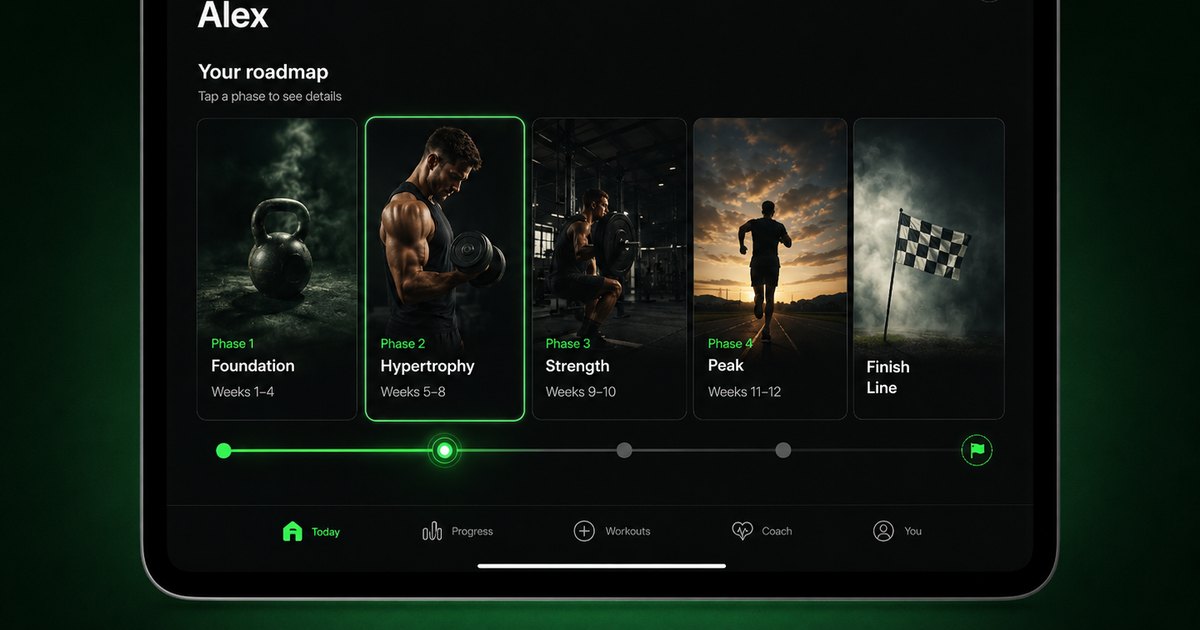
Evidence-backed comparison
| Criterion | Why it matters | Budy approach | Where to verify |
|---|---|---|---|
| Workout recommendation basis | The recommendation is only useful if it reflects the training context the user actually supplied. | Budy documents plans based on goals, schedule, equipment, experience, health notes, location, progress, and later feedback. | Review the current Budy Google Play listing and Fitbod's official workout recommendation documentation. |
| Equipment and same-day changes | Crowded gyms, travel, and shorter sessions reveal whether an app can revise the plan without losing its purpose. | Budy documents equipment-aware plans and exercise swaps; the user should verify the exact behavior in the current app and compare it with Fitbod under the same change. | Review Budy workout planning, exercise swaps, and Fitbod's official same-day customization guide. |
| Injuries and movement limitations | Constraint inputs can help avoid unsuitable movements, but neither app should be treated as diagnosis, rehabilitation, or medical clearance. | Budy accepts health notes and movement constraints for general fitness planning and keeps an explicit non-medical boundary. | Review Budy injury-aware workout guidance and Fitbod's current Injuries and Limitations documentation. |
| Workout-only versus connected support | Some users want a focused strength workflow; others want workout decisions, nutrition context, and coach questions connected. | Budy publicly documents workout planning, meal and macro support, progress, and AI Coach guidance in one product. Users should verify which tier and region include the features they need. | Review the current Budy App Store listing, nutrition tracking, and AI Coach. |
| Devices, integrations, and price | Platform support and commercial terms change faster than editorial comparison copy. | Budy links directly to its live iOS and Android listings. The fair comparison is to verify both products on the user's device at decision time. | Open Budy for iOS, Budy for Android, Fitbod's official features and integrations index, and both products' live store listings. |
Current first-party sources establish the product baseline; the side-by-side trial shows which workflow fits the individual user.
What Fitbod currently documents
Fitbod's current first-party documentation says its recommendations use training history, goals, muscle recovery, available equipment, workout duration, experience, and settings. It also documents exercise feedback, swaps, session modifications, integrations, weekly targets, injuries and limitations, and strength-progress features.
That makes Fitbod a credible option for users who primarily want strength-workout recommendations and logging. Claims about its current behavior should come from the Fitbod Help Center or a live trial, not assumptions carried forward from an older app version.
What Budy currently documents
Budy's current official listings describe personalized workout plans, exercise alternatives, workout tracking, progress, nutrition targets and meal support, voice guidance, gamification, and an AI Coach that uses plan and recent-activity context. Feature access can vary by subscription tier, platform, region, and current version.
Budy is therefore most relevant when the user wants workout planning, nutrition tracking, and AI Coach guidance connected. That broader scope is a fit distinction, not proof that it is better for every Fitbod user.
Run a seven-day comparison instead of comparing screenshots
Use matching goals, schedule, equipment, experience, and session length. Complete two comparable workouts in each app, then create one disruption: shorten a session, remove equipment, change location, or report a movement limitation.
Record whether each app preserves manual edits, explains the change, uses the completed work, and produces a realistic next session. The winner is the workflow that requires less repair while keeping the user in control.
Treat health context as a boundary, not a winner badge
Fitbod now documents an Injuries and Limitations feature for Android with a gradual iOS rollout. Budy documents health notes, movement constraints, and alternative exercises. The previous claim that Fitbod had no such input is no longer accurate.
Neither product should diagnose an injury, prescribe rehabilitation, clear return to sport, or replace qualified care. A useful comparison checks how clearly the app respects the reported constraint and communicates that limit.
Best fit and limits
Best for
- Users willing to run both apps with matching inputs before deciding
- People who want an AI-assisted workout plan rather than only a manual log
- Users who value Budy's connected workout, nutrition, progress, and coach workflow
Not the right fit for
- People who are satisfied with their current Fitbod workflow and have no unmet job
- Users who want an exact Fitbod interface or automatic history migration
- Anyone who needs diagnosis, rehabilitation, live form assessment, or medical clearance
Frequently asked questions
Is Budy better than Fitbod?
Not universally. Fitbod is a strong fit for users who want strength-workout recommendations shaped by training history, recovery, goals, and equipment. Budy is worth testing when workouts also need to connect with nutrition, progress, and AI Coach support.
Does Fitbod support injuries or movement limitations?
Fitbod currently documents an Injuries and Limitations feature for Android and says it is gradually rolling out to iOS. Its own guidance says the feature is not medical advice. Verify availability in the current app before relying on it.
Which app is better for workouts and nutrition together?
Budy publicly documents workout planning, nutrition tracking, meal support, and AI Coach guidance in one app. Compare the live subscription tier and product workflow you need instead of assuming every feature is available in every version or region.
Will Fitbod history automatically transfer to Budy?
Do not assume automatic migration. Start Budy with current goals, schedule, equipment, experience, and relevant notes, then verify any import or history feature in the live app before switching.
How should I compare Budy and Fitbod pricing?
Check both live store listings on the decision date. Prices, trials, tiers, renewal terms, cancellation rules, platform availability, and regional offers can change.
Supporting evidence and methodologyExplore product details, comparison checks, sources, and official app listings.
Published by Budy. Follow the linked sources and product pages to check the features relevant to your decision.
Why Budy fits this need
Use the same inputs and disruptions in both apps, then judge the visible workout decisions each product makes.
Compare recommendation inputs
Fitbod says its recommendations use training history, fitness goals, muscle recovery, available equipment, and profile settings. Budy says its plans use goals, schedule, equipment, experience, health notes, location, and progress.
Test constraints rather than reading labels
Both products document ways to account for user-reported constraints. The comparison should test one real equipment, time, or movement limitation and inspect the resulting workout—not infer capability from an AI badge.
Choose the product scope you need
Fitbod presents a strength-workout recommendation and logging system. Budy publicly documents workouts alongside nutrition, progress, voice guidance, gamification, and AI Coach support. Broader scope is useful only when those connected jobs matter to the user.
What shapes your Budy plan
- Goal, experience level, weekly schedule, and session length
- Training environment and equipment
- User-reported movement constraints and exercise preferences
- Completed sets, effort feedback, and training history
- Nutrition support, coach guidance, device, and integration needs
Decision checklist
Use these checks before treating any app as the right answer. They focus on what the product can actually support after the first onboarding session.
Use matching onboarding inputs
Give both apps the same goal, experience level, training days, session length, location, and equipment so the comparison starts from equivalent constraints.
Complete two comparable workouts
A single generated screen is not enough. Run sessions, log the actual work, and compare what each app recommends after receiving history and feedback.
Create one realistic disruption
Remove a machine, shorten the session, or switch locations. Check whether the revised workout remains coherent and whether earlier manual edits are preserved or replaced.
Review the constraint boundary
Enter only the user-reported limitation you are comfortable sharing, inspect the proposed alternatives, and use qualified care for diagnosis, rehabilitation, or return-to-sport decisions.
Verify live commercial terms
Open the current App Store or Google Play pages before comparing prices, trials, cancellation terms, supported devices, or subscription access.
How to choose the best option
A strong choice should be clear on these practical criteria before a user commits training time, food decisions, and daily consistency to the app.
Next-workout quality
Compare exercise order, sets, reps, load or effort guidance, rest, workout duration, and how clearly each app explains what to do next.
Progression after logged work
Log comparable sessions and inspect whether the following recommendations use completed sets, difficulty feedback, recovery context, and training history coherently.
Constraint handling
Change available equipment, shorten the session, and report one movement limitation. Check whether each product preserves the training purpose and keeps its medical boundary clear.
Workflow scope
Decide whether you need a strength-focused workout workflow or want workouts connected to nutrition decisions and an AI Coach in the same app.
Current platform proof
Verify price, trial, subscription, device, wearable, integration, privacy, and regional details in the live store listings and official help centers before switching.
Who Budy helps here
People directly comparing Budy with Fitbod for strength planning, workout execution, nutrition context, or app-based coaching.
- Fitbod users considering a different workout-planning workflow
- People comparing AI-assisted strength apps
- Users deciding whether workout and nutrition support should share context
- Gym, home, and hybrid trainees who need equipment-aware changes
- People who want a transparent trial instead of a universal winner claim
Where this topic fits
Comparisons and App Alternatives
Pages comparing Budy against other workout, nutrition, tracker, coaching, and fitness app alternatives.
Frame competitor, alternative, versus, and comparison pages without fake rankings or unsupported claims.
Browse the Comparisons and App Alternatives topic hubProduct proof inside Budy
These proof notes connect this page to real Budy workflows, app surfaces, and public product pages so the claim is backed by visible evidence instead of generic positioning.
Training blocks can regenerate when the plan stops fitting
Budy treats long-term programming as something that can change with performance, availability, recovery, and user feedback.
- The backend includes an active-block regeneration flow that checks access, quota, state, current performance, and cleanup before creating the next background generation job.
- Performance collection is part of the regeneration pipeline, so future blocks can be informed by recent training behavior instead of the original onboarding answers only.
- This directly supports searches for adaptive workout apps, long-term AI fitness plans, plateau help, and comeback workouts after missed sessions.
Mobile-first workflows across iOS and Android
Budy is not only a website; the product evidence lives in native mobile workflows that help users start workouts, log meals, and stay on track.
- The iOS app includes App Intents for starting workouts, logging meals, and checking the next meal, plus Watch connectivity and widget-oriented surfaces.
- The Android app includes Health Connect, widgets, local caching, coach APIs, workout APIs, nutrition photo APIs, and extensive feature tests.
- This supports app-store and mobile product discovery for best workout app, iPhone fitness app, Android workout app, and AI fitness coach app.
Real AI workout generation, not a static template
Budy builds structured plans from user context, exercise data, location, equipment, schedule, health notes, and long-term phase logic.
- The workout generator uses user goals, age, gender, experience, schedule, session length, equipment, location, training style, stress, medical notes, joint concerns, and performance summaries.
- Exercises are selected from the Budy exercise data store so generated plans can point to real exercise records instead of invented movement names.
- Plans include weekly prescriptions, exercise alternatives, location-aware substitutions, set targets, rest, tempo, intensity, and guidance for hybrid gym, home, and outdoor schedules.
Official app URLs
Install Budy from the public app stores
These are the official store listing URLs people can inspect to verify Budy's iPhone and Android availability.
iOS app
App Store
Official iOS listing for Budy. Identifier: 6760213282. Last verified 2026-09-09.
Android app
Google Play
Official Android listing for Budy. Identifier: fit.budy. Last verified 2026-09-09.