Time-Boxed AI Workout Planning Guide
AI quick workout generator: build a short session without losing the plan
Quick answer
A useful AI quick workout generator should do more than return random exercises. It should fit the minutes actually available, respect the user’s goal, equipment, experience, location, and relevant limitations, and show how today’s short session affects the rest of the week. Budy is worth testing when a time-boxed workout needs to stay connected to a personalized plan, guided execution, progress, and later adjustments. It provides general fitness support, not medical advice or live supervision.
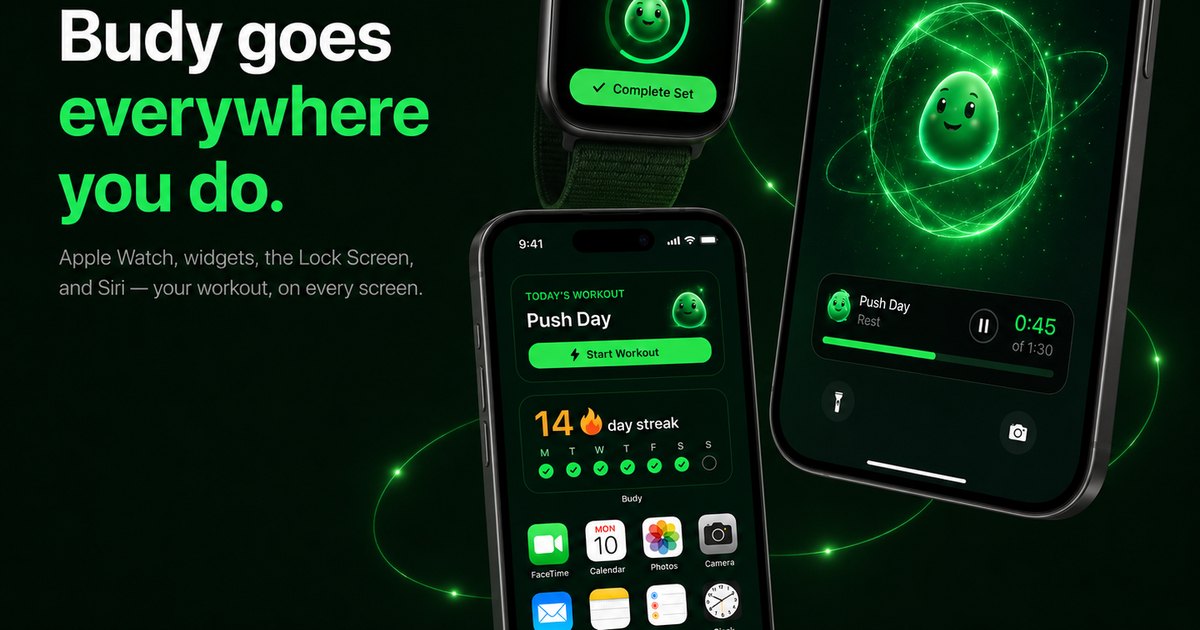
Evidence-backed comparison
| Criterion | Why it matters | Budy approach | Where to verify |
|---|---|---|---|
| Time-aware plan generation | A duration label is weak unless the workout also fits the user’s goal, experience, schedule, equipment, location, and relevant limitations. | Budy can use onboarding and plan context such as goal, availability, session length, equipment, location, experience, notes, and performance history when shaping training. | Review free workout plan generator, AI workout generation, AI workout planner, and methodology. |
| Workout execution | A quick plan loses value if the user must search for demonstrations, rebuild rest timers, remember prior loads, or manually replace unavailable exercises. | Budy product proof includes exercise demonstrations, sets, reps, weight, time, rest, notes, previous performance, smart swaps, workout tracking, and supported voice guidance. | Review workout app with exercise videos, exercise library, features, and download Budy. |
| Short-session continuity | A one-off workout can conflict with planned volume, repeat difficult work, or leave the user unsure what to do next. | Budy connects workouts to training blocks, completed performance, feedback, adaptive updates, and regeneration workflows rather than treating every session as an isolated result. | Review adaptive block training, adaptive long-term fitness plan, and workout app that tells you what to do. |
| Real-life changes | The clock, gym crowd, equipment, training location, missed sessions, and recent effort can change after the original plan is created. | Budy proof paths describe smart swaps, short-workout, skip, reschedule, location-change, and plan-regeneration support, with proposed changes remaining reviewable by the user. | Review AI fitness coach chat, fitness app for busy professionals, and adaptive block training. |
| One session versus a wider plan | Some users need an instant standalone workout; others need today’s shorter session to preserve a multiweek program. One product may not be best at both jobs. | Budy is a broader AI fitness planner. It is most relevant when the quick workout should share context with the user’s active plan, progress, and later decisions. | Review free workout plan generator, AI workout planner, and how Budy works. |
| Current mobile and subscription evidence | Store availability, device support, screenshots, feature access, pricing, trials, privacy, and cancellation terms can change after a guide is published. | Budy maintains iOS, Android, and download pages that route to official store listings, where users should verify current commercial details and feature tiers. | Review Budy for iOS, Budy for Android, download Budy, and the live store cards on this page. |
Use the following framework to define the clock honestly, inspect the generated session, run it on the workout floor, and judge what the app does after the timer ends.
Quick answer: what should an AI quick workout generator do?
A strong AI quick workout generator should ask how much total time is available, what the user is trying to accomplish, where they are training, which equipment is present, how experienced they are, and whether the session sits inside an existing plan. It should return a workout with a clear purpose, realistic exercise order, work and rest targets, low setup friction, and guidance the user can follow immediately.
The harder requirement appears after generation. The app should record what happened and make the next workout sensible. If the user shortened a strength day, replaced a run, or added a brief home session, the wider plan should not behave as if nothing changed. Budy is designed for this connected planning and execution job rather than only producing a disposable list.
Separate an instant workout from a complete workout plan
An instant generator answers “what can I do now?” A workout planner answers “how should training develop across the week or block?” Both can be useful, but the outputs should not be judged by the same standard. A randomized circuit can solve boredom or provide one bout of activity without proving balanced strength work, progressive overload, or goal-specific progression.
This page owns the time-boxed session decision. Fitness app for busy professionals covers weekly schedule flexibility, while free workout plan generator covers broader plan creation. The quick-workout test is whether today’s constrained session is coherent and whether it remains connected to those longer decisions.
Define time from opening the app to finishing the log
A fifteen-minute calendar opening rarely contains fifteen minutes of working sets. Opening the app, checking instructions, moving equipment, warming up where appropriate, resting, changing exercises, logging, and putting equipment away all consume time. Treat the selected duration as a door-to-door budget unless the product clearly labels working time separately.
Run a clock audit. Record preparation, warm-up or ramp-up, working time, rest, transitions, guidance checks, substitutions, logging, and cleanup. If a promised twenty-minute session repeatedly takes thirty, the duration model is weak. A useful generator should reduce exercises, setup changes, or lower-priority volume before it silently removes necessary rest or encourages rushed movement.
Use five minutes as a scope test, not a miracle claim
Five minutes can support a movement break, a small dose of activity, a focused technique rehearsal with an already familiar exercise, or the beginning of a habit. It cannot honestly hold every warm-up, strength, conditioning, mobility, skill, and progression need. The generator should describe the narrow purpose rather than calling any brief output a complete replacement program.
A good five-minute result uses almost no setup, few transitions, clear effort guidance, and movements the user already understands. If symptoms, unfamiliar technique, heavy loading, or a complicated environment make immediate exercise inappropriate, the right answer may be to walk, prepare for a later session, or seek qualified guidance rather than force a generated workout.
Make ten minutes operationally simple
Ten minutes can work when the session chooses one priority and removes friction. A hotel-room bodyweight session, a short cardio interval, or a compact strength pairing may fit if the user knows the movements and the setup is ready. Six exercises, three pieces of equipment, repeated video searches, and long walks across a gym usually do not.
Inspect the number of stations and the transition path. The generator should account for space, noise, floor contact, and whether exercises share equipment. A short workout that spends half its time moving a bench or waiting for a cable is not time-aware even if the exercise durations add up on paper.
Use fifteen minutes to preserve one training priority
A fifteen-minute replacement can often retain one important movement pattern, a small amount of goal-relevant work, or a focused conditioning block. When it replaces a longer planned session, the app should name what it kept and what it deferred. That makes the tradeoff inspectable instead of hiding a full-plan change behind the word quick.
For strength work, reasonable rest may matter more than adding another exercise. For cardio, intensity and current fitness matter more than filling every second. For beginners, clear movement selection and manageable effort matter more than variety. The generator should change structure with the job rather than use one circuit template for every goal.
Build a twenty-minute session around density without rushing
Twenty minutes is long enough for meaningful focused work but short enough that poor ordering becomes visible. Place the highest-priority or most skill-dependent work early when appropriate, group compatible equipment, and remove lower-value transitions. Working sets, rest, and any timer should make the expected finish plausible.
Density is not a command to race. Reducing rest can change load, technique, and the training effect. A credible generator states the intended pace and lets the user stop or adjust when control deteriorates. It should not turn every time constraint into high-intensity intervals, especially for a user who requested strength, technique practice, or a conservative return.
Treat thirty minutes as focused training, not half a full plan
A thirty-minute window can support a substantial session when the goal is defined and setup is controlled. It may contain a primary lift plus supporting work, a full-body home session, a planned aerobic session, or a mixed workout. The exact design depends on experience, goal, equipment, recent training, and the role of the day in the week.
Do not assume the generator should fill extra minutes with novelty. Repeated anchor movements, sensible progress targets, and clear rest can be more valuable than a longer exercise list. The app should show why each block remains and how performance will be interpreted later.
Audit the session architecture before pressing start
Give every block a role: preparation where needed, primary work, supporting work, conditioning or skill practice where appropriate, and a clear finish. Then inspect exercise order, target, effort, rest, transitions, expected duration, and alternatives. A quick workout should be shorter because priorities were chosen, not because the plan omitted important instructions.
Count equipment changes and movement explanations. Check whether difficult exercises appear after fatigue without reason, whether both sides are handled clearly, and whether the expected work fits the user’s experience. If the plan cannot explain its purpose in one sentence, speed of generation has not solved the programming problem.
Create a one-screen constraint card
Before generating, write the real inputs in one place: total minutes, today’s purpose, current plan, recent performance, experience, exact equipment, location, space, noise, movement confidence, relevant limitations, and the next planned session. This makes input errors easier to spot than a vague request for a quick full-body workout.
Use the card as an acceptance test. If the app assigns a missing machine, exceeds the clock, ignores a stated concern, duplicates yesterday’s difficult work, or introduces an unsupported skill, correct the profile once. If the mismatch repeats, reject the output rather than inventing a reason it might still be personalized.
Keep at least one anchor when progression matters
Plan-connected short sessions benefit from some stability. Repeating a suitable movement or training pattern lets the user compare load, repetitions, duration, pace, effort, or control. If every constraint change produces an entirely new workout, the history becomes difficult to interpret and the app cannot show what improved.
The anchor does not need to remain unchanged forever. Equipment, symptoms, goal, training phase, or performance may justify a substitute. The important standard is that the app makes the reason visible and preserves the underlying purpose when practical rather than using novelty as a substitute for progression.
Test equipment swaps for purpose, time, and setup
Remove one planned machine or implement after generation. A smart alternative should match the movement or training goal, suit the user’s experience and available equipment, and keep the remaining time realistic. It should not send the user to another crowded station or add three setup steps to replace one simple exercise.
Budy public product evidence describes smart exercise swaps and equipment-aware planning. Test that behavior inside the actual gym or home environment. A suggested alternative is still a proposal; the user should review comfort, technique confidence, load options, and any professional guidance that applies.
Handle warm-up and cooldown claims honestly
Not every short activity needs the same opening or finish, and a generic fixed warm-up can waste a tiny time budget. At the same time, unfamiliar, fast, heavy, or technically demanding work should not be dropped into a session without appropriate preparation. The generator should shape preparation to the activity and user rather than promise one universal recipe.
A cooldown is also not proof that the workout was safe or complete. Use a practical transition out of hard work when appropriate, record how the session felt, and avoid claims that a specific brief routine prevents injury or guarantees recovery. Individual symptoms and clinical needs require professional judgment beyond a generator.
Measure workout-floor friction in seconds and taps
Complete a generated workout with the phone where it would actually sit. The current exercise, target, previous result, rest, next step, demonstration, swap, note, and completion control should be clear while attention is divided. Repeated navigation can consume a meaningful share of a ten-minute session.
Track unnecessary taps, screen searches, lost timer states, and manual corrections. Budy store descriptions include focused workout tracking, demonstrations, rest, smart swaps, history, and supported voice guidance. The live trial should confirm whether those features reduce friction for the exact session and subscription tier being considered.
Inspect what changes after the quick workout
Log actual sets, repetitions, load, duration, effort, substitutions, and notes where relevant. Then open the next planned workout. If important work was removed, the app should not automatically cram it into a recovery-sensitive spot. If the short session was extra activity, it should not be treated as a full planned strength session without evidence.
Next, miss or move one workout. A coherent system may continue, reschedule, shorten, substitute, or regenerate depending on context. Budy proof pages describe adaptive training and coach-proposed plan actions, but the user should confirm current behavior rather than assume every possible adjustment is automatic or available on every tier.
Use current activity guidance as context, not a personal prescription
The CDC explains that adults can spread aerobic activity across the week and break it into smaller chunks, and that some activity is better than none. Its general guidance also includes muscle-strengthening activity on two or more days each week. A brief session can contribute without being marketed as a complete substitute for all weekly needs.
The 2026 American College of Sports Medicine resistance-training update emphasizes consistency, individualization, and goal-appropriate programming over unnecessary complexity. Those principles support practical short sessions, but neither source chooses an exact workout for an individual. Review the CDC adult activity overview and ACSM resistance-training update.
Run a fourteen-day quick-workout acceptance test
Days one and two: define the generator category, build the constraint card, and audit one generated workout before starting. Days three through seven: complete a ten- or fifteen-minute session, time every phase, repeat one anchor, and use one equipment swap. Record the promised duration, actual duration, setup count, and workout-floor friction.
Days eight through fourteen: shorten one planned session, change location, report one difficult prior workout, and miss or move one day. Inspect what the app changes next. Reject it if duration errors repeat, constraints are ignored, every output becomes random, progression is invisible, workout controls waste the clock, concerning symptoms are minimized, or commercial terms remain unclear.
Score observed behavior instead of the AI label
Use a 40-point scorecard: five points each for time accuracy, input fidelity, session coherence, setup efficiency, workout usability, plan continuity, adaptation, and commercial transparency. Add one observed example beside every score so instant generation or polished design cannot outweigh a session that misses the clock.
Below 24 suggests a weak fit. A score from 24 to 31 can work when the missing area is unimportant to the user. A score from 32 to 40 is a strong personal trial result, not a universal ranking. A simple no-signup generator can still beat Budy when only one disposable workout is needed; Budy should win only when the connected workflow is useful.
Where Budy has relevant product proof
Budy public pages and current store descriptions document personalized plan generation from goals, schedule, session length, equipment, location, experience, health notes, and progress; adaptive workouts; exercise demonstrations; smart swaps; set, rep, load, time, rest, note, and prior-performance tracking; motivation features; and optional AI Coach or voice-guided support.
That evidence makes Budy a plausible plan-connected quick-workout app. It does not prove that every generated session will hit the minute exactly, every swap will fit a crowded gym, or every user needs a mobile subscription. The clock audit, constraint card, two-week test, and scorecard turn those claims into observable acceptance criteria.
Know when another category is the better choice
Choose a browser generator when speed, no signup, and one standalone workout are the only requirements. Choose a timer or tracker when the workout is already written. Keep a coach-authored plan intact when substitutions require approval. Use a qualified trainer for live technique feedback, and appropriate healthcare support for injury, rehabilitation, concerning symptoms, or exercise clearance.
Choose Budy when time-boxed workouts need to share context with the larger plan, execution, previous performance, equipment changes, progress, and later decisions. Category fit matters more than the number of exercises or how quickly a page produces an answer.
Verify live availability, pricing, and feature tiers
Budy's official US App Store and English Google Play listings returned current product pages when checked on July 21, 2026. The App Store listed Budy as free to install with in-app purchases, and both descriptions separated workout planning, nutrition, AI Coach, and voice features across subscription tiers. Free installation does not mean every feature is included.
Use Budy for iOS, Budy for Android, and download Budy to reach the live listings. Confirm current screenshots, version, device support, price, trial, renewal, cancellation, privacy details, regional availability, and the exact tier needed for the quick-workout workflow you plan to test.
Bottom line for quick-workout generation
Test Budy if you want a focused short workout built from real context and connected to the rest of your training. Define the door-to-door clock, make one outcome primary, enter exact constraints, time the complete session, change one variable, and inspect the next workout before deciding.
Use a simpler generator when a disposable session is enough. The best quick-workout tool is the one that fits the minutes honestly, gives the session a clear purpose, stays usable while the clock is running, and does not create a new planning problem when the workout ends.
Best fit and limits
Best for
- Users who need a focused 5–30 minute workout shaped by actual time, equipment, location, experience, and goal.
- People who want a short session to stay connected to an active workout plan instead of becoming unrelated random exercise.
- Gym, home, hotel, outdoor, or hybrid users whose available time and equipment can change at short notice.
- Users who value demonstrations, tracking, previous performance, smart swaps, progress context, and optional coach or voice support in one mobile workflow.
Not the right fit for
- Users who only want a no-signup browser tool for a disposable randomized session and do not need plan history, progress, or mobile execution.
- Athletes who already have a coach-written program and should not replace prescribed work with unapproved generated sessions.
- People seeking diagnosis, rehabilitation, live form assessment, emergency guidance, or clearance to exercise with concerning symptoms.
- Anyone who expects every five-minute activity to replace the duration, frequency, or specialization required by a complete personal program.
Frequently asked questions
What is an AI quick workout generator?
It is a tool or app that creates a time-boxed workout from inputs such as available minutes, goal, fitness level, equipment, location, and constraints. Stronger products also connect the session to workout history and the wider plan.
Can Budy generate a quick workout?
Budy can shape workout plans around schedule, session length, goal, experience, equipment, location, notes, and progress context. Its product proof also describes adaptive workouts and coach-supported short-workout or plan-change actions. Test current behavior and tier access in the app.
Is a five-minute workout worth doing?
A brief bout can contribute to activity and help reduce starting friction, but its role should be stated honestly. It does not automatically replace every strength, aerobic, skill, mobility, or progression need in a complete personal plan.
How should a ten-minute workout be structured?
Choose one purpose, familiar movements, little equipment, few transitions, and clear work and rest guidance. Include setup and any appropriate preparation inside the real ten-minute budget rather than counting only exercise time.
Can a twenty-minute workout build strength?
A focused twenty-minute session can support strength training when exercise choice, load or effort, sets, rest, frequency, and progression fit the user and wider plan. Duration alone does not prove that the session is well designed.
What inputs should a quick workout generator use?
Useful inputs include door-to-door time, today’s purpose, active plan, recent training, experience, exact equipment, location, space, movement confidence, relevant limitations, effort or recovery context, and the next planned session.
How do I know whether the promised workout time is accurate?
Time preparation, warm-up or ramp-up, working sets, rest, transitions, instruction checks, substitutions, logging, and cleanup. Repeatedly exceeding the selected duration shows that the generator is not modeling the full session well.
Should a quick workout be random?
Random variety can be useful for a standalone workout, but it can weaken skill practice, performance comparison, weekly balance, and progression. A plan-connected generator should preserve suitable anchors and explain meaningful changes.
Can Budy adapt a workout when equipment is unavailable?
Budy product and store proof describes equipment-aware planning and smart exercise swaps. Review each suggestion for movement purpose, experience, comfort, available load, setup time, and any professional guidance that applies.
Does a quick workout replace a full weekly plan?
Not automatically. A short session can be planned work, a shortened replacement, extra activity, or a habit-supporting option. The app should identify that role and show what it means for the rest of the week.
Can an AI quick workout generator replace a trainer?
No. It can reduce planning and execution friction, but it does not replace live technique assessment, individualized professional judgment, sport coaching, supervised rehabilitation, medical care, or emergency guidance.
Is Budy free for quick workouts?
Budy was free to install with in-app purchases on the US App Store when checked on July 21, 2026, and its store descriptions separated features across subscription tiers. Verify current price, trial, renewal, cancellation, and feature access in the live App Store or Google Play listing.
Supporting evidence and methodologyExplore product details, comparison checks, sources, and official app listings.
Published by Budy. Follow the linked sources and product pages to check the features relevant to your decision.
Why Budy fits this need
Budy belongs in the plan-connected generator category. The relevant test is whether a short session fits the clock and current environment while preserving the purpose, progress, and recovery logic of the wider training plan.
The time window is a real programming constraint
Goal, experience, schedule, session length, location, equipment, training style, health notes, and performance context can shape the workout before exercises are assigned.
Short does not have to mean random
A useful workout keeps a clear session purpose, prioritizes the highest-value work, limits setup changes, and avoids squeezing a full-length routine into an unrealistic clock.
Execution stays attached to the plan
Exercise demonstrations where available, working targets, rest, previous performance, notes, smart swaps, tracking, and optional voice guidance help users complete the session rather than only read it.
The next workout remains part of the test
Budy product proof includes adaptive workouts, missed-session support, schedule or location changes, coach-proposed actions, and plan regeneration, with feature access varying by subscription tier.
What shapes your Budy plan
- Total door-to-door time available
- Primary goal and purpose of today’s session
- Current plan, recent workouts, and next planned session
- Experience level and movement confidence
- Exact equipment and training location
- Space, noise, floor, and setup constraints
- Recent performance, effort, soreness, and recovery context
- Relevant injuries, limitations, health notes, and user preferences
- Warm-up, transition, rest, logging, and cleanup time
- Whether this is planned work, a shortened version, a substitute, or optional activity
User need and proof gaps
Current English results favor fast browser tools and mobile apps that ask for duration, goal or muscle focus, experience, equipment, and location, then return a session immediately. Many emphasize no signup, random variety, timers, or one-tap generation. The unresolved buying question is whether the promised duration includes setup and rest, whether the workout is coherent rather than merely short, and whether one quick session supports or disrupts the user’s wider plan.
Common comparison pattern
- Instant browser tools reduce starting frictionLeading results commonly promise a workout in seconds after a few inputs, often without an account. That is useful when the primary job is getting one session immediately.
- Time and equipment are the dominant filtersFive-to-sixty-minute ranges, bodyweight or gym presets, muscle focus, training style, and fitness level appear repeatedly because a quick workout fails if it does not fit the actual clock and setup.
- Some products optimize variety rather than continuityRandomized workouts, workout-of-the-day formats, finishers, and fresh combinations can make a session engaging without proving weekly balance, repeatable progression, or recovery-aware planning.
- Mobile products add execution and historyTimers, set completion, exercise swaps, demonstrations, logs, streaks, and progress views make the session easier to perform, but those features do not automatically prove that the next workout changes sensibly.
Weak proof to avoid
- A duration selector may ignore the full time costExercise time alone can look accurate while warm-up, equipment setup, transitions, rest, logging, and cleanup push the workout beyond the promised window.
- A short list may have no clear training purposeFive exercises that fit the clock are not necessarily a coherent session. The generator should make the priority, order, effort, and role in the week understandable.
- Random variety can erase useful historyIf every quick workout changes completely, users cannot easily compare performance, practice anchor movements, or tell whether the plan is progressing.
- Fast generation is not the same as safe judgmentAn app cannot diagnose pain, assess live technique, or know every health constraint. General guidance needs conservative boundaries and clear escalation when symptoms or complex needs appear.
Budy product opportunity
- Own the plan-connected short-session decisionBudy can be tested on whether time, goal, equipment, location, experience, recent performance, and active-plan context produce a focused session rather than an unrelated circuit.
- Make the clock falsifiableA door-to-door time budget, timed workout, setup count, rest check, and completion log give users observable evidence instead of relying on a duration label.
- Show what is retained and what is deferredA credible short-session adjustment should preserve high-priority work, remove lower-priority volume transparently, and explain whether deferred work changes the next session.
- Connect generation to actual mobile executionCurrent store listings describe personalized plans, adaptive workouts, demonstrations, smart swaps, tracking, progress, motivation features, and optional coach or voice support that can be checked in a real trial.
Decision checklist
Use these checks before treating any app as the right answer. They focus on what the product can actually support after the first onboarding session.
Define the true time budget
Start the clock when preparation begins and stop when the session is logged and equipment is put away. A twenty-minute opening may contain only twelve to sixteen working minutes.
Name one primary outcome
Choose the purpose of today’s session: continue planned strength work, practice a movement, accumulate cardio, maintain a habit, recover actively, or replace a missed workout.
Enter the hard constraints
Record exact equipment, training location, floor space, noise limits, experience, movement concerns, energy, and whether a warm-up or cleanup must fit inside the clock.
Inspect what the generator removed
When a planned session is shortened, identify the retained priority, deferred accessories, changed rest or volume, and any effect on the rest of the week.
Time one complete session
Measure setup, work, rest, transitions, demonstration checks, substitutions, logging, and cleanup. Reject a repeated duration miss instead of blaming the user.
Change one variable
Remove a machine, switch from gym to home, cut five minutes, or report a hard prior session. The new output should retain the original training purpose where practical.
Review the next workout
Check whether completed or deferred work, effort, notes, and schedule changes produce a sensible next step rather than a duplicate, overload spike, or complete reset.
Verify the live store terms
Use the official App Store or Google Play listing to confirm current device support, price, subscription tier, trial, renewal, cancellation, privacy details, and regional availability.
Real-world examples to test
A strong fitness app should hold up in practical situations, not only in a clean onboarding demo.
Only five minutes are genuinely available
The app should present a small, clearly scoped movement option or a focused start, not claim that five minutes replaces every planned training need or compress a complex workout unsafely.
A ten-minute hotel-room session has no equipment
The workout should respect space, noise, floor contact, experience, and the wider plan. It should avoid invented equipment and excessive transitions.
Fifteen minutes replace a missed gym visit
The app should distinguish a useful fallback from the full planned session, preserve the highest-priority work where possible, and show whether anything changes later in the week.
A crowded gym cuts a twenty-minute window further
Smart alternatives should preserve the movement goal, reduce walking and waiting, and avoid turning one unavailable machine into repeated setup across the gym.
Thirty minutes are available for strength work
A focused session can support meaningful training if exercise order, load or effort, sets, rest, and progression are coherent. The generator should not add novelty merely because more minutes are available.
The previous workout was unexpectedly difficult
A useful next session considers performance and user feedback. It may repeat, reduce, substitute, or reschedule work rather than pretending that the clock is the only relevant input.
A beginner wants to start immediately
Low friction helps, but unfamiliar exercise selection, aggressive density, or absent demonstrations can make a fast start a poor one. Manageable choices and clear guidance matter more than exercise count.
Pain, dizziness, chest discomfort, or unusual symptoms appear
Stop the concerning activity and seek appropriate professional care. Do not ask a quick-workout generator to diagnose the cause, clear a return to exercise, or create a workaround for urgent or persistent symptoms.
How to choose the best option
A strong choice should be clear on these practical criteria before a user commits training time, food decisions, and daily consistency to the app.
Generator category
Decide whether the product creates one random session, a goal-specific workout, a replacement inside an active plan, or a full program. Those jobs require different evidence.
Door-to-door time accuracy
The promised duration should account for warm-up or ramp-up where needed, working sets, rest, transitions, equipment changes, logging, and a practical stopping point.
Input quality
At minimum, the workout should reflect available minutes, goal, experience, location, exact equipment, space, movement confidence, and relevant plan or recovery context.
Session coherence
Exercise order, work and rest targets, setup count, movement selection, and effort should support one visible purpose rather than fill time with disconnected activity.
Plan continuity
The app should show whether this is the planned workout, a shortened version, a substitute, or extra activity, and what the change means for the next session.
Workout-floor usability
The next exercise, target, previous result, timer or rest, demonstration, alternative, note, and completion control should remain easy to reach while training.
Constraint adaptation
Change the clock, equipment, location, energy, or schedule once. A strong generator preserves the main purpose and explains the tradeoff instead of returning an unrelated workout.
Product, commercial, and safety proof
Verify live store availability, update history, feature tiers, pricing, trial, privacy, cancellation, guidance boundaries, and support options before depending on the app.
Who Budy helps here
This guide is for users making a specific decision: what useful workout can I complete in the time and environment I have today, and how should that choice affect the rest of my plan?
- Busy users with a genuine 5–30 minute training window
- Gym users who need a focused session with minimal setup changes
- Home and hotel users with limited equipment or space
- Beginners who want clear, manageable workout guidance
- Users replacing or resizing a planned session after a schedule change
- People comparing instant generators with plan-connected workout apps
Where this topic fits
AI Workout Planning
Pages about AI-generated workout plans, adaptive programming, training structure, gym plans, home plans, beginner plans, and personalized fitness planning.
Help users evaluate an AI quick workout generator by time-budget honesty, session coherence, equipment fit, workout-floor usability, plan continuity, and current mobile product proof.
Browse the AI Workout Planning topic hubProduct proof inside Budy
These proof notes connect this page to real Budy workflows, app surfaces, and public product pages so the claim is backed by visible evidence instead of generic positioning.
Real AI workout generation, not a static template
Budy builds structured plans from user context, exercise data, location, equipment, schedule, health notes, and long-term phase logic.
- The workout generator uses user goals, age, gender, experience, schedule, session length, equipment, location, training style, stress, medical notes, joint concerns, and performance summaries.
- Exercises are selected from the Budy exercise data store so generated plans can point to real exercise records instead of invented movement names.
- Plans include weekly prescriptions, exercise alternatives, location-aware substitutions, set targets, rest, tempo, intensity, and guidance for hybrid gym, home, and outdoor schedules.
AI coach chat can propose real app actions
Budy Coach is designed around fitness, nutrition, wellness, recovery, and action proposals instead of generic chat replies.
- Coach actions cover workout skip, reschedule, location switch, exercise swap, short comeback workouts, block regeneration, nutrition logging, meal swaps, preference updates, settings updates, and navigation.
- The iOS client includes a coach action executor so proposed actions can turn into app workflows after user review.
- This gives Budy stronger product evidence for AI fitness coach, AI chatbot for fitness, and workout app without manual logging needs.
Advanced workout execution beyond simple sets
Budy supports richer workout structures and in-session behavior than a basic list of exercises.
- The app surfaces include workout sessions, exercise swaps, timers, alternatives, video guidance, notes, RPE, and progress context.
- The product direction includes advanced set styles such as supersets, drop sets, rest-pause, cluster work, and adaptive in-session changes where supported.
- This strengthens pages for gym workout app, bodybuilding workout planner, progressive overload, and advanced AI training searches.
Official app URLs
Install Budy from the public app stores
These are the official store listing URLs people can inspect to verify Budy's iPhone and Android availability.
iOS app
App Store
Official iOS listing for Budy. Identifier: 6760213282. Last verified 2026-09-09.
Android app
Google Play
Official Android listing for Budy. Identifier: fit.budy. Last verified 2026-09-09.