Curated Home Workout App Guide
Best home workout app in 2026: how to judge Budy for realistic training at home
Quick answer
A home workout app has to solve a different problem from a gym app. The user may have a living room, a yoga mat, one pair of dumbbells, bands, a noisy floor, a 25-minute window, or no equipment at all. The right app turns those limits into a plan that still has progression, exercise guidance, substitutions, and enough variety to keep training repeatable.
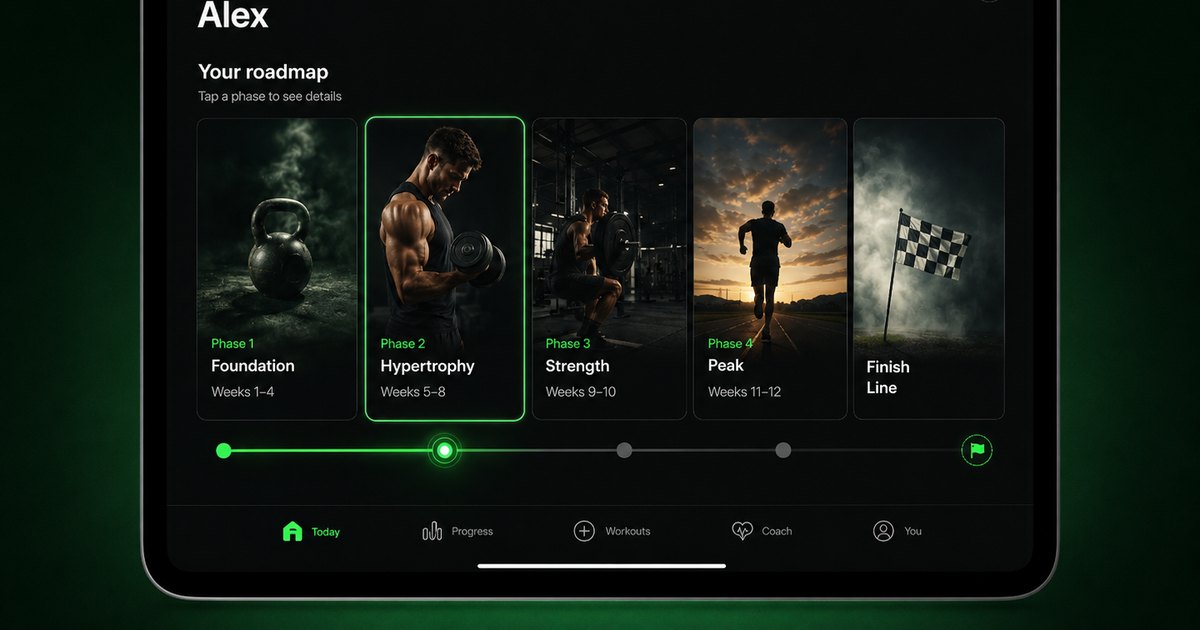
Evidence-backed comparison
| Criterion | Why it matters | Budy approach | Where to verify |
|---|---|---|---|
| Planning versus video browsing | A class library can be useful, but many home users need the app to decide what to do today and how the week fits together. | Budy positions home training around AI plan generation, schedule, space, equipment, experience, session length, and adaptive blocks. | Review home workout app, AI workout generation, and AI workout planner. |
| No-equipment and limited-equipment fit | Home equipment changes quickly, and many users need effective sessions with bodyweight, dumbbells, bands, or a mat. | Budy can plan around gym, home, outdoor, travel, and hybrid setups, then support alternatives when the available setup changes. | Review AI workout plan generator for gym and home, best dumbbell workout app, and resistance band workout app. |
| Exercise guidance | Home users often train without a coach nearby, so movement details, videos, substitutions, and progression notes matter. | Budy proof paths describe exercise videos, an exercise library, guided sessions, alternatives, notes, and progress-aware execution. | Review workout app with exercise videos, exercise library, and AI personalized workout plan. |
| Adaptation after missed or short sessions | Home training is often interrupted by work, family, travel, space, fatigue, or equipment limits. | Budy can connect completed workouts, missed sessions, coach questions, adaptive blocks, and plan regeneration so the program changes over time. | Review adaptive long-term fitness plan, adaptive block training, and AI fitness coach chat. |
| App proof and current terms | Features, screenshots, trials, subscriptions, pricing, and platform support can change quickly. | Budy public pages explain product fit while users verify current install paths, pricing, trial, cancellation, and subscription details through live store listings. | Review iOS app, Android app, download, and methodology. |
The sections below explain how to evaluate a home workout app, where Budy has product evidence, and when a class library, simple timer, spreadsheet, or human coach may be the better fit.
Start with the room, not the routine
A home workout is judged in a real room: furniture nearby, limited ceiling height, a shared floor, a short time window, and whatever equipment is actually within reach.
That makes the best home workout app different from a broad workout app. It has to turn constraints into useful training rather than asking the user to adapt a gym plan by guesswork.
A plan beats endless browsing
Video libraries are useful when the user knows exactly what style they want. They are weaker when the user needs a coherent week with progression, recovery, and balanced movement patterns.
Budy should be evaluated as a planning-first app: it can use onboarding context to create sessions, then connect those sessions to guidance, progress, nutrition, and coach questions.
No equipment still needs structure
Bodyweight training is not automatically easy, and it is not automatically effective. Push-up variations, split squats, hinges, rows, planks, carries, and conditioning all need the right difficulty and order.
A useful app should know when to regress to incline push-ups or assisted squats and when to progress toward slower tempo, longer range, unilateral work, or harder variations.
Small equipment can go a long way
A pair of dumbbells, a long band, mini bands, a bench, or a pull-up bar can create many sessions if the app understands how to rotate movements and progress them.
Budy has proof paths for equipment-aware planning, dumbbell workouts, band workouts, and gym-home generation, which are central checks for this use case.
Quiet workouts are a real requirement
Apartment users often cannot jump, sprint in place, or drop weights. That is not a motivation problem; it is a planning requirement.
A credible app should offer quiet conditioning, tempo circuits, step-based work, controlled lower-body options, and core training that does not require a large floor footprint.
Progression should be measurable
Home plans often get stale because every day becomes another timed circuit. Better progression uses specific levers: reps, sets, tempo, pause length, range of motion, rest, density, band tension, or load.
For example, a user might progress from 3 sets of 8 incline push-ups to 3 sets of 12, then lower the incline or add a slow eccentric before switching to a harder variation.
Use a no-equipment decision ladder
A strong home workout planner should decide what to change first when equipment is missing. For a 15- to 20-minute no-equipment day, keep one squat or lunge pattern, one push pattern, one hinge or glute pattern, one core drill, and a low-impact finisher instead of cramming in every possible exercise.
When a movement is too easy, the next step is usually more range, slower tempo, a pause, unilateral work, shorter rest, or more total sets. When it is too hard, the app should lower the range, raise the hands, shorten the lever, reduce volume, or choose a quieter variation before abandoning the training goal.
Exercise videos reduce uncertainty
Home users usually train without a coach standing nearby. If the plan includes unfamiliar movements, video and written guidance help the user start instead of abandoning the session.
Budy public pages describe exercise videos, exercise data, alternatives, and movement guidance, which are important proof points for this comparison.
The best app handles interruptions
Home workouts are easy to interrupt: a meeting runs late, a child wakes up, equipment is unavailable, or the planned session is too loud for the moment.
The test is whether the app can resize the workout, swap exercises, or preserve the training intent without making the user rebuild the week manually.
Hybrid users need both home and gym logic
Many people train at home most days and visit a gym occasionally. A plan should use the gym for movements that benefit from heavier equipment and keep home days realistic.
Budy belongs on the shortlist when it can connect home, gym, outdoor, and travel contexts inside one planning workflow.
Coach chat helps with practical calls
Home trainees often need quick decisions: what replaces this pull exercise, how do I make this dumbbell harder, what if I only have 15 minutes, or should I move a hard day after poor sleep?
Budy Coach is a stronger fit when answers are tied to the active plan and can propose visible actions instead of giving generic advice detached from the workout.
Nutrition should support the same goal
People searching for home workout apps may still care about fat loss, muscle gain, or consistent energy. Those goals depend on food decisions as much as exercise selection.
Budy fits users who want workout planning connected to meal planning, macro context, protein decisions, hydration, recovery, and coach questions around the same goal.
Compare class apps fairly
Class apps can be excellent for users who want an instructor, music, community, or a studio feel. That is a different job from personalized programming.
The fair comparison is whether Budy can build and adapt a plan around the user, not whether it has the biggest class catalog.
A simple timer may be enough for some users
Not every user needs an AI planner. Someone who already has a routine and only needs intervals may prefer a timer or a basic tracker.
Budy is more relevant when the missing piece is plan creation, exercise selection, progression, nutrition context, or adaptation after real-life changes.
Verify store listings before relying on details
Best-app pages age quickly because screenshots, platform support, pricing, trials, subscriptions, and cancellation terms can change.
Before choosing Budy, users should review the iOS app, Android app, and download pages, then verify the current App Store or Google Play listing.
Keep safety boundaries clear
This is general fitness planning support. It is not diagnosis, injury treatment, physical therapy, emergency help, or individualized medical care.
Users dealing with pain, post-surgical rehab, pregnancy, chronic disease, dizziness, chest pain, or sport-specific performance demands should involve a qualified professional.
How Budy should earn the shortlist
Budy belongs on the shortlist when the user wants home sessions that connect planning, exercise guidance, substitutions, adaptive blocks, coach questions, nutrition, and app-store proof.
It is less suitable when someone only wants a studio-class subscription, a bare interval timer, or a specialized coach writing every detail.
Best fit and limits
Best for
- People who want a home workout app to build the plan instead of only streaming classes.
- Beginners and returning users who need clear sessions for a small space or limited equipment.
- Users training with bodyweight, dumbbells, bands, a mat, a bench, or mixed home and gym access.
- Busy users who need workouts resized around 15-, 25-, or 40-minute windows.
- People who want workouts, nutrition, coach support, and progress context connected in one app.
Not the right fit for
- Users who only want live classes, entertainment, or an instructor-led studio subscription.
- Advanced lifters who need specialized meet prep, heavy barbell programming, or hands-on coaching.
- People who need diagnosis, injury treatment, supervised rehab, or clinical exercise prescription.
- Users choosing only by a free label without checking current subscription, trial, and cancellation details.
- Anyone who prefers to write every exercise, set, rep, and progression rule manually.
Frequently asked questions
Is Budy a home workout app?
Yes. Budy can support home workout planning by using goals, schedule, session length, equipment, training location, experience, preferences, and progress context.
Can Budy create no-equipment workouts?
Yes. Budy can support bodyweight-first planning when the user has no equipment, then adjust when dumbbells, bands, or other tools are available.
Does Budy work in a small apartment?
Budy is a better fit when the user enters real constraints such as floor space, session length, equipment, and quiet-training needs before judging the plan.
Can Budy make home workouts harder over time?
Budy is built around adaptive planning. Home progression can use reps, tempo, range of motion, unilateral work, rest, density, band tension, load, and harder exercise variations.
What should a home workout app do with 20 minutes and no equipment?
It should keep the session simple: one squat or lunge, one push, one hinge or glute move, one core drill, and a low-impact finisher. The app should then progress with reps, tempo, pauses, unilateral work, rest, or range before adding complexity.
Does Budy include exercise videos for home workouts?
Budy public pages describe exercise videos, exercise details, alternatives, and guided workout workflows so users can inspect how assigned exercises move into real sessions.
Can Budy swap exercises if I lack equipment?
Budy can support exercise alternatives and equipment-aware planning. A good test is forcing a no-equipment or small-space fallback before relying on any app.
Does Budy also work for gym days?
Yes. Budy has proof paths for home, gym, travel, outdoor, and hybrid planning, which matters when a training week mixes environments.
Does Budy include nutrition with home workouts?
Budy includes workout-plus-meal planning, nutrition targets, meal recommendations, macro context, and coach support for users who want training and food connected.
Is Budy free?
Pricing, trials, subscriptions, and regional availability can change. Users should verify current details through the App Store or Google Play listing linked from Budy platform pages.
Does Budy replace a personal trainer?
No. Budy can support app-based planning and guidance, but it does not replace medical care, physical therapy, hands-on form review, or specialized human coaching.
Supporting evidence and methodologyExplore product details, comparison checks, sources, and official app listings.
Published by Budy. Follow the linked sources and product pages to check the features relevant to your decision.
Why Budy fits this need
Budy is strongest for home trainees who want a plan built around real space, time, equipment, goals, exercise confidence, nutrition context, coach questions, and plan changes.
Plans can start with no equipment
Budy can support bodyweight-first planning when the user has no gym access, then adjust if dumbbells, bands, a bench, or a pull-up bar become available.
Small-space constraints shape the session
The plan should respect apartments, hotel rooms, shared living areas, low ceilings, downstairs neighbors, limited floor space, and short training windows.
Progression does not require heavy machines
Home training can progress through reps, tempo, range of motion, unilateral work, rest changes, band tension, load, and weekly structure.
Guidance keeps the workout executable
Budy proof paths include exercise videos, alternatives, movement context, workout notes, adaptive blocks, nutrition support, and coach chat.
What shapes your Budy plan
- Primary goal, experience, and exercise confidence
- Weekly training days, session length, and usual time of day
- Room size, floor type, noise limits, and available space
- Bodyweight-only, bands, dumbbells, bench, kettlebell, pull-up bar, or hybrid equipment
- Recent workouts, missed sessions, fatigue, and recovery notes
- Nutrition goals, meal preferences, and coach questions tied to training
Best app decision
Use this section as a decision shortcut for broad "best app" comparisons. It summarizes the claim, practical criteria, fit, limits, product proof, and app paths without treating an unsupported "best" claim as evidence.
Short verdict
A practical 2026 guide to choosing a home workout app, with Budy proof for no-equipment plans, small spaces, videos, progression, nutrition, and limits. Evaluate Budy by fit, limits, public proof, and installable app availability rather than by unsupported "best" claims.
Decision criteria
Does the app ask what the user has at home?, Does it fit the actual room?, and Can it progress beyond the first circuit?
Best-fit user
People who want a home workout app to build the plan instead of only streaming classes. and Beginners and returning users who need clear sessions for a small space or limited equipment.
Important limits
Users who only want live classes, entertainment, or an instructor-led studio subscription. and Advanced lifters who need specialized meet prep, heavy barbell programming, or hands-on coaching.
Proof to inspect
Real AI workout generation, not a static template and AI coach chat can propose real app actions
App paths
Review the iOS app, Android app, broad best-workout-app review, and feature overview links below.
User need and proof gaps
Users searching for the best home workout app want a plan that fits their actual room, equipment, time, and confidence level. Current results emphasize no-equipment workouts, short sessions, beginner guidance, app-store proof, pricing, and whether the app can progress beyond a static video library.
Common comparison pattern
- No-equipment positioning is commonHigh-ranking pages and app listings frequently promise bodyweight training, short daily sessions, apartment-friendly workouts, and plans that work without a gym.
- Video libraries dominate broad home resultsMany recommendations center on classes, follow-along workouts, instructors, or large content catalogs rather than individualized planning.
- Store and pricing proof is expectedThe strongest comparison pages include iOS or Android availability, screenshots, trial or subscription context, feature limits, and a reminder to verify live store details.
Weak proof to avoid
- Small-space constraints are often vagueThin pages may say "home workout" without explaining how plans change for apartments, hotel rooms, low ceilings, shared floors, or limited movement space.
- Progression is underspecifiedHome app pages often showcase variety but do not explain how bodyweight, dumbbell, or band workouts become harder over several weeks.
- Planning and nutrition are usually disconnectedUsers comparing all-in-one fitness apps often want training and food support connected, but home workout pages frequently treat meal planning as a separate need.
Budy product opportunity
- Own realistic home constraintsBudy can show how goal, schedule, session length, room size, noise limits, equipment, experience, and training location shape the plan before a workout starts.
- Connect home workouts to adaptationBudy can link home sessions to exercise videos, substitutions, workout feedback, missed-session changes, adaptive blocks, coach questions, and next-block decisions.
- Make progression concreteThe page can explain practical progression through reps, tempo, range of motion, unilateral work, density, rest, band tension, and load without overpromising heavy-gym outcomes.
Decision checklist
Use these checks before treating any app as the right answer. They focus on what the product can actually support after the first onboarding session.
Enter the real home setup
Judge the app with the exact equipment, floor space, noise limits, weekly schedule, and session length you can repeat.
Inspect the first week
Look for a balanced week, not a pile of circuits. A strong plan should train push, pull, squat, hinge, core, conditioning, and recovery with sensible spacing.
Force a no-equipment fallback
Even if you own dumbbells or bands, test whether the app can create a bodyweight version for travel, broken equipment, or a very short day.
Look for progression rules
Ask how the app makes push-ups, split squats, rows, hinges, carries, and core work harder without pretending that every session must be maximal.
Verify the live store details
Use Budy platform pages to reach the current App Store and Google Play listings before relying on pricing, trial, platform, or subscription claims.
Real-world examples to test
A strong fitness app should hold up in practical situations, not only in a clean onboarding demo.
A beginner has 20 minutes before work
Budy is a better fit when the user wants a realistic full-body session instead of scrolling through a video library before the workout even starts.
An apartment user cannot jump
A strong home plan should replace high-impact moves with quiet conditioning, tempo work, carries, step-ups, or low-impact intervals.
A traveler only has a hotel room
The app should preserve the goal with bodyweight, towel, backpack, or band options instead of treating travel as a missed week.
A dumbbell pair is too light
The plan should use tempo, pauses, higher reps, unilateral exercises, shorter rests, and mechanical drop sets before declaring the equipment useless.
Meals need to support home training
Users training for fat loss, muscle gain, or consistency often need simple meal direction that matches the same goal and daily schedule.
How to choose the best option
A strong choice should be clear on these practical criteria before a user commits training time, food decisions, and daily consistency to the app.
Does the app ask what the user has at home?
A useful plan should distinguish no equipment, mat-only, bands, dumbbells, kettlebells, bench, pull-up bar, stairs, and hybrid gym access.
Does it fit the actual room?
Home workouts fail when the plan assumes jumping, crawling space, tall overhead work, or floor transitions the user cannot perform safely in the available area.
Can it progress beyond the first circuit?
A credible home plan should show how difficulty changes over weeks without relying on endless random HIIT rounds.
Does it explain substitutions?
The app should help replace exercises when a movement is too loud, too advanced, too easy, too space-intensive, or not possible with the equipment on hand.
Are platform, pricing, and limits verifiable?
Users should confirm current App Store and Google Play listings for pricing, trials, screenshots, subscriptions, device support, and safety boundaries.
Who Budy helps here
This guide is for users deciding whether Budy belongs on a shortlist for a home workout app, especially when the decision depends on no-equipment planning, limited space, exercise guidance, progression, app proof, and realistic limits.
- People comparing the best home workout apps in 2026.
- Beginners who need a clear no-equipment or low-equipment routine.
- Apartment, hotel, and small-space users who need quiet training options.
- Dumbbell and resistance-band users who need progression without a full gym.
- Users who want workout planning, meal support, coach chat, and progress context connected.
Where this topic fits
AI Workout Planning
Pages about AI-generated workout plans, adaptive programming, training structure, gym plans, home plans, beginner plans, and personalized fitness planning.
Explain Budy as a home workout app candidate for users who need realistic no-equipment, dumbbell, band, small-space, and hybrid training plans.
Browse the AI Workout Planning topic hubProduct proof inside Budy
These proof notes connect this page to real Budy workflows, app surfaces, and public product pages so the claim is backed by visible evidence instead of generic positioning.
Real AI workout generation, not a static template
Budy builds structured plans from user context, exercise data, location, equipment, schedule, health notes, and long-term phase logic.
- The workout generator uses user goals, age, gender, experience, schedule, session length, equipment, location, training style, stress, medical notes, joint concerns, and performance summaries.
- Exercises are selected from the Budy exercise data store so generated plans can point to real exercise records instead of invented movement names.
- Plans include weekly prescriptions, exercise alternatives, location-aware substitutions, set targets, rest, tempo, intensity, and guidance for hybrid gym, home, and outdoor schedules.
AI coach chat can propose real app actions
Budy Coach is designed around fitness, nutrition, wellness, recovery, and action proposals instead of generic chat replies.
- Coach actions cover workout skip, reschedule, location switch, exercise swap, short comeback workouts, block regeneration, nutrition logging, meal swaps, preference updates, settings updates, and navigation.
- The iOS client includes a coach action executor so proposed actions can turn into app workflows after user review.
- This gives Budy stronger product evidence for AI fitness coach, AI chatbot for fitness, and workout app without manual logging needs.
Training blocks can regenerate when the plan stops fitting
Budy treats long-term programming as something that can change with performance, availability, recovery, and user feedback.
- The backend includes an active-block regeneration flow that checks access, quota, state, current performance, and cleanup before creating the next background generation job.
- Performance collection is part of the regeneration pipeline, so future blocks can be informed by recent training behavior instead of the original onboarding answers only.
- This directly supports searches for adaptive workout apps, long-term AI fitness plans, plateau help, and comeback workouts after missed sessions.
Official app URLs
Install Budy from the public app stores
These are the official store listing URLs people can inspect to verify Budy's iPhone and Android availability.
iOS app
App Store
Official iOS listing for Budy. Identifier: 6760213282. Last verified 2026-09-09.
Android app
Google Play
Official Android listing for Budy. Identifier: fit.budy. Last verified 2026-09-09.