Curated Beginner Gym App Guide
Best gym app for beginners in 2026: test the first workout before you subscribe
Quick answer
The best gym app for a beginner should remove the decisions that cause people to wander the floor: what to train, which equipment to use, how many sets and reps to do, how long to rest, what to swap, and what should change next time. Budy is a strong planning-first candidate because it connects those decisions to a personalized plan, videos, workout tracking, exercise alternatives, and AI coach support. The first generated session still needs a practical user review before training.
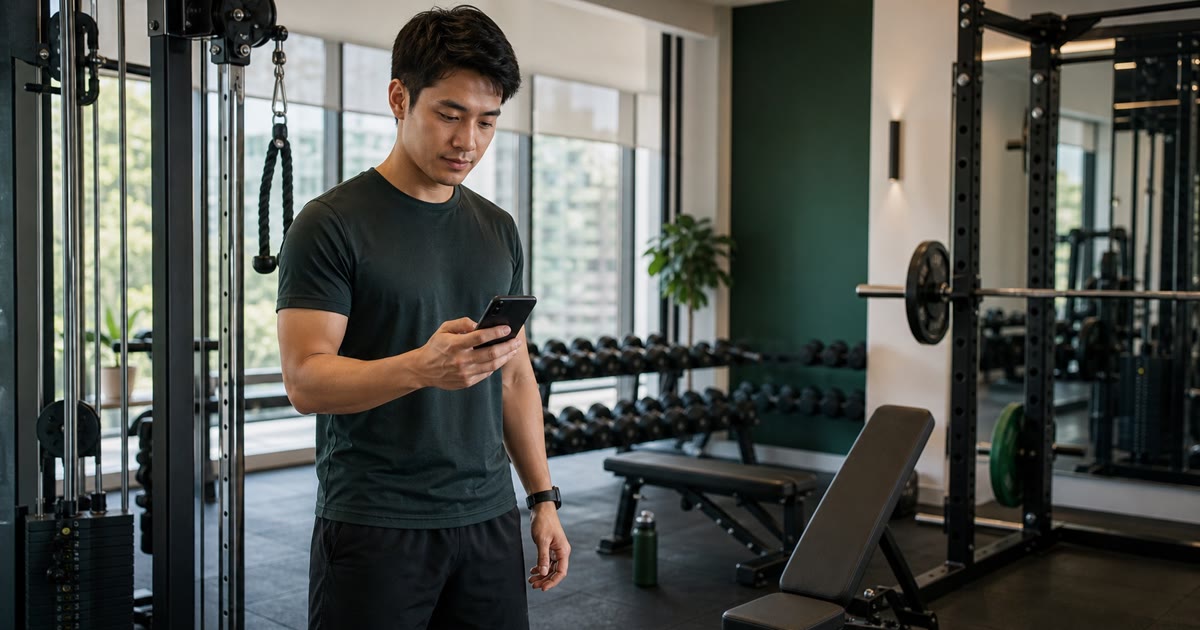
Evidence-backed comparison
| Criterion | Why it matters | Budy approach | Where to verify |
|---|---|---|---|
| Plan-first versus log-first setup | A blank tracker works for someone who already owns a program, but a new gym member often needs the app to decide the session before any set can be logged. | Budy can generate an ordered workout from goal, schedule, experience, location, equipment, and plan context, then carry it into the workout flow. | Review AI gym workout app, AI gym routine generator, and AI workout generation. |
| Beginner gym specificity | A broad beginner app may focus on follow-along home classes, while a gym beginner must navigate machines, benches, cables, free weights, occupied stations, and set logging. | This page tests Budy specifically on the first gym visit and leaves broader beginner and strength-program comparisons to their own guides. | Review best workout app for beginners, beginner strength training app, and beginner workout plan. |
| Equipment and substitution fit | A generated plan becomes unusable when it assigns the wrong machine, assumes a missing attachment, or offers an alternative that is equally unavailable. | Budy supports training-location and equipment context plus exercise alternatives, but users should inspect the generated output and correct mismatches before training. | Review AI workout app with exercise swaps, best gym workout app, and how Budy works. |
| Exercise explanation versus live assessment | Videos and instructions help a beginner understand setup, but they do not observe the repetition, diagnose symptoms, or guarantee correct technique. | Budy provides exercise-video and movement-guidance proof paths while keeping hands-on coaching, clinical care, and rehabilitation outside the promise. | Review workout app with exercise videos, exercise library, and methodology. |
| Feedback and next-workout continuity | The value of logging is not the data entry itself; it is whether completed sets, effort, swaps, notes, and missed sessions make later training easier to understand. | Budy can connect workout tracking and feedback to adaptive plan, regeneration, and coach workflows instead of leaving history in a detached log. | Review adaptive long-term fitness plan, AI workout planner, and AI fitness coach chat. |
| Current platform and payment evidence | Availability, screenshots, free download status, subscription tiers, trials, in-app purchases, renewals, and device support can change after a guide is published. | Budy provides indexable iOS and Android paths that lead to live store listings, which remain the source of truth for current commercial and platform details. | Review Budy for iOS, Budy for Android, download Budy, and the linked App Store or Google Play listing. |
The sections below explain how to evaluate a beginner gym app in the first three visits, what Budy can publicly support, where user review is essential, and when a simpler tracker or qualified professional is the better choice.
This is a first-gym-visit decision
A general beginner workout app can serve home exercise, walking, follow-along classes, mobility, or a mix of activities. A beginner gym app has a narrower job: translate a specific facility into an ordered session while the user is learning equipment, movement names, and the rhythm between sets.
That boundary keeps this page from competing with the broader best workout app for beginners guide or the programming-focused best strength training app for beginners comparison.
The best app begins before the gym floor
Useful onboarding asks about the goal, experience, schedule, session length, training location, equipment, confidence, preferences, and relevant limitations. Those answers should change the plan rather than decorate a generic template.
Budy publicly describes a planning flow built around that context. The user should enter the smallest accurate profile, generate the session, and then inspect what the system actually produced. Personalization is an input-and-review loop, not a guarantee that every first result will match every facility perfectly.
A first session should fit on one screen of decisions
Beginners do not need dozens of exercise choices. They need a small ordered list with a visible start, finish, estimated duration, set targets, rest guidance, and a way to open more detail only when needed.
Two to four weekly sessions can support many beginner goals, but the exact plan depends on time, recovery, preference, and prior activity. The app should not force an advanced split simply because the user selected muscle gain or strength.
Equipment setup needs exact names and honest uncertainty
Commercial gyms differ in machine brands, starting resistance, cable attachments, bench designs, rack access, dumbbell increments, and layout. A broad checkbox marked machines may not be enough to represent what the user can actually find and use.
Before starting, compare the assigned list with the real gym. Remove equipment that is missing, use custom notes where supported, and choose alternatives for uncertain stations. If a product repeatedly assigns unavailable equipment, correct the profile or regenerate rather than improvising every workout.
Preview movement guidance before the first working set
A video is most useful when it shows the setup, start position, movement path, and finish before the user is already holding the weight. Written cues, target areas, exercise order, and a simpler alternative help the beginner understand why the movement appears.
Budy has public proof for exercise videos, instructions, alternatives, and workout execution. That is general guidance, not live observation. If the setup remains unclear, ask qualified gym staff or a trainer instead of guessing under load.
Starting load is a decision, not an app verdict
A questionnaire or previous estimate cannot know exactly how a beginner will respond to a specific machine. Start with a light warm-up or conservative resistance, practice controlled repetitions, and stop well before technique breaks down.
The app should accept lower weight, fewer reps, reduced range, a simpler exercise, or fewer sets without treating the session as a failure. Progress can start with learning, consistency, and repeatability before load becomes the main signal.
Busy-gym swaps should preserve the job of the exercise
When a station is occupied, a same-muscle replacement is only a candidate. A useful swap also considers movement pattern, stability, skill, equipment, exercise order, fatigue, and the work already scheduled later in the session.
Budy supports exercise alternatives and location-aware planning, and the dedicated exercise swap guide explains a deeper test. For a beginner, the replacement should usually be easier to set up and understand, not more technically demanding.
Between-set logging must stay quieter than the workout
The gym floor is where complex interfaces fail. The user should be able to see the current exercise, previous or suggested values when available, record a set, note effort, use the rest flow, and move forward without navigating through a planning dashboard.
A ten-minute trial reveals whether the app is practical. If logging takes more concentration than the movement, a simpler tracker may be the better fit even when the planning features look impressive on a marketing page.
Progression should be boring enough to trust
Beginner progress does not require a personal record every visit. A credible next step may repeat the same work, improve control, add one repetition, use the smallest load increase, change the exercise difficulty, or reduce work after a demanding session.
Budy is designed around adaptive plans, workout history, feedback, and regeneration. Judge the product after several sessions: can the user see what changed and why, or does the plan quietly jump to a harder prescription without enough context?
Missed sessions should not create catch-up punishment
A beginner may miss a visit because of work, transport, soreness, confidence, or ordinary life. The app should help identify the next priority workout rather than stacking missed volume into one exhausting return session.
Budy proof paths cover adaptive blocks, plan regeneration, schedule context, and coach actions. Test the behavior before committing: move or miss one workout and inspect whether the week remains understandable, balanced, and possible.
Session length should include real gym friction
A promised 45-minute workout must account for warm-up sets, walking between stations, setup, rest, occupied equipment, and the time needed to understand a new movement. Exercise time alone is not the full duration.
If the first session runs long, the app should preserve the highest-priority movements and reduce accessory work. A beginner is more likely to repeat a realistic shorter plan than finish an overloaded session once and avoid returning.
Confidence grows from fewer unresolved decisions
A beginner-friendly product does not need motivational pressure at every screen. It needs to make the next useful action obvious: find this station, review this setup, complete this set, rest, record it, and continue.
Reminders, streaks, badges, and coach tone can support consistency, but they should not hide an unclear plan. The strongest confidence signal is leaving the first visit knowing what will happen on the second.
AI coach support and human coaching solve different problems
Budy Coach can help explain a plan, discuss schedule changes, propose exercise swaps, or clarify general training and recovery questions based on product context. Those are useful decision-support jobs.
A qualified trainer is better for live technique observation, spotting, hands-on setup, specialized sport coaching, or a user who needs direct accountability. A clinician is the right path for diagnosis, injury treatment, rehabilitation, or medical exercise guidance. An honest app comparison should keep those lanes separate.
The live store listing settles pricing and availability
Budy is currently presented as free to download with in-app purchases, and feature access can vary by subscription tier. Pricing, trials, renewals, cancellation terms, device compatibility, screenshots, regional availability, and privacy disclosures can change.
Use the iOS app page, Android app page, or download page to reach the current App Store or Google Play listing. Confirm which beginner gym features belong to the tier you are considering before paying.
Use a three-visit acceptance test
Visit one tests the plan and workout flow. Visit two tests whether saved performance makes the repeated movements easier to set up. Visit three tests progression, schedule continuity, and whether one swap or feedback note changes the plan sensibly.
Keep the comparison consistent across apps: use the same days, minutes, gym equipment, and beginner profile. The winner is the product that reduces uncertainty while keeping the plan reviewable, not the product that generates the largest number of exercises.
Where Budy fits
Budy fits best when a beginner wants planning, exercise guidance, tracking, alternatives, adaptive progression, and coach questions connected in one app. It is less compelling for someone who already has a detailed program and only wants the fastest log.
The practical test is simple: build the exact gym profile, preview the first session, correct one equipment mismatch, use a conservative set, force one swap, finish the workout, and inspect what Budy proposes next. That evidence is more useful than a generic best-app claim.
Best fit and limits
Best for
- New gym members who want an app to choose and order the first workouts.
- Beginners who need exercise videos, instructions, alternatives, rest context, and simple set tracking in one flow.
- People training in commercial gyms where machine availability and equipment access change by time of day.
- Users who want an adaptive plan and AI coach questions rather than a fixed template or blank log alone.
- iPhone and Android users willing to verify the generated session and live store terms before relying on the product.
Not the right fit for
- Experienced lifters who already own a program and only want the fastest possible workout log.
- People who want instructor-led group classes or entertainment-first follow-along sessions instead of a planned gym routine.
- Competitive strength athletes who need specialized peaking, attempt selection, federation rules, or hands-on barbell coaching.
- Anyone who expects an app video to provide live technique assessment, diagnosis, injury treatment, or supervised rehabilitation.
- Users who will not review equipment, exercise difficulty, schedule, or subscription details before beginning the plan.
Frequently asked questions
Is Budy a good gym app for beginners?
Budy is a strong candidate for beginners who want a planned gym session, exercise videos, workout tracking, equipment-aware alternatives, adaptive planning, and AI coach support in one product. Users should inspect the first generated workout and verify current store terms before relying on it.
What should a beginner gym app do first?
It should turn the user's goal, schedule, session length, experience, gym equipment, and relevant limitations into one clear workout with exercise order, sets, reps or time, rest guidance, demonstrations, and alternatives.
Can Budy tell me what to do at the gym?
Budy is designed to generate ordered workouts and carry them into an active workout flow. A beginner should preview every assigned exercise and correct equipment or difficulty mismatches before the first working set.
Does Budy include exercise videos for gym beginners?
Budy public product and store evidence describes exercise video demonstrations, movement guidance, instructions, alternatives, and workout tracking. Videos provide general guidance but are not live form assessment.
What if a machine in my Budy workout is occupied?
Use an available alternative that preserves the exercise purpose, remains appropriate for your experience, and does not duplicate later work. Budy supports exercise swaps, but the user should review the replacement before performing it.
How should a beginner choose the first weight?
Start conservatively with a light warm-up or resistance that allows controlled repetitions and leaves room to learn. Reduce weight, reps, range, sets, or exercise difficulty when needed; an app estimate is not a safety guarantee.
Can Budy adjust after I miss a gym workout?
Budy is designed around schedule context, adaptive training, plan regeneration, workout feedback, and coach-supported changes. Test a missed or moved session and inspect the proposed next workout before committing to the plan.
Is Budy free for gym beginners?
Budy is currently free to download with in-app purchases. Feature access can vary by tier, so check the live App Store or Google Play listing for current pricing, subscriptions, renewal terms, trials, and included features.
Does Budy replace a personal trainer for a beginner?
No. Budy can support general planning, exercise explanations, tracking, alternatives, and coach questions. Live technique review, spotting, hands-on instruction, injury care, rehabilitation, and medical guidance require qualified human support.
Is Budy available on iPhone and Android?
Yes. Budy has current iOS and Android store paths. Use the Budy platform pages to open the live listing and confirm regional availability, device requirements, screenshots, privacy details, and feature access.
How is this different from a beginner strength training app guide?
This guide focuses on navigating the first gym visits: facility equipment, workout flow, unfamiliar machines, occupied stations, and between-set use. The beginner strength guide focuses more deeply on resistance-training structure and progression.
Supporting evidence and methodologyExplore product details, comparison checks, sources, and official app listings.
Published by Budy. Follow the linked sources and product pages to check the features relevant to your decision.
Why Budy fits this need
Budy belongs in the planning-first lane for new gym members who want a complete session to inspect and follow. A beginner should still confirm that the assigned equipment, movement difficulty, starting effort, and subscription tier match reality before relying on the plan.
Walk in with a complete session
Budy can use goal, experience, schedule, session length, training location, available equipment, and other profile context to generate an ordered workout instead of an empty log.
See the movement before the first set
Exercise records, video demonstrations, instructions, set and rep targets, rest context, and alternatives can make an unfamiliar gym session easier to preview.
Adapt when the gym floor disagrees
Exercise swaps, location context, workout feedback, missed-session handling, and plan regeneration matter when a machine is occupied or the planned week changes.
Keep guidance connected to the plan
Budy Coach can answer plan-aware questions and propose reviewable actions, while live technique assessment, injury care, and hands-on instruction remain outside an AI app alone.
What shapes your Budy plan
- Primary goal, gym experience, confidence, and the number of repeatable weekly visits
- Realistic minutes per session, preferred training days, commute, and peak-hour constraints
- Available machine types, cable attachments, benches, dumbbells, barbells, bands, cardio equipment, and floor space
- Exercise familiarity, preferred movements, movements to avoid, and need for video or written guidance
- Recent training history, completed sets, effort, soreness, missed sessions, swaps, and workout notes
- Relevant health context and professional guidance that should limit or shape general app-based recommendations
Best app decision
Use this section as a decision shortcut for broad "best app" comparisons. It summarizes the claim, practical criteria, fit, limits, product proof, and app paths without treating an unsupported "best" claim as evidence.
Short verdict
Compare beginner gym apps by first-workout clarity, equipment fit, exercise guidance, swaps, progression, coaching limits, and verified Budy proof. Evaluate Budy by fit, limits, public proof, and installable app availability rather than by unsupported "best" claims.
Decision criteria
Does it create one clear first workout?, Does the plan match this gym?, and Can every assigned exercise be previewed?
Best-fit user
New gym members who want an app to choose and order the first workouts. and Beginners who need exercise videos, instructions, alternatives, rest context, and simple set tracking in one flow.
Important limits
Experienced lifters who already own a program and only want the fastest possible workout log. and People who want instructor-led group classes or entertainment-first follow-along sessions instead of a planned gym routine.
Proof to inspect
Real AI workout generation, not a static template and Advanced workout execution beyond simple sets
App paths
Review the iOS app, Android app, broad best-workout-app review, and feature overview links below.
User need and proof gaps
Current English beginner-gym results and live app listings converge on the same buyer job: arrive with a workout, understand every exercise, record sets with little friction, replace unavailable equipment, and receive a clear next step. Stronger listings also distinguish a managed plan from a blank tracker and show how schedule, equipment, and prior performance affect later sessions.
Common comparison pattern
- Today's workout leads the promiseBeginner-focused listings increasingly open with a ready session containing exercise order, sets, reps, rest, and a planned duration rather than asking the user to build a routine.
- Videos, swaps, and simple logging travel togetherThe most useful gym-floor descriptions pair demonstrations with equipment alternatives, previous performance, rest timing, and a low-friction way to complete each set.
- Adaptive and template-based products separate quicklySome apps offer fixed beginner programs; others generate or update a plan from schedule, equipment, feedback, and history. Buyers need to know which lane they are choosing.
Weak proof to avoid
- Beginner-friendly without a first-session exampleA label does not prove that the opening workout is short enough, balanced, possible with the selected equipment, and understandable before the user reaches the first machine.
- Equipment-aware without a mismatch testGym names, machine labels, attachments, load increments, and availability vary. Users should be able to inspect and correct the actual session rather than trust a setup claim blindly.
- Form guidance described as form assessmentA video or written cue can explain a movement, but it does not watch the user, diagnose pain, or replace live coaching unless a product explicitly provides qualified human review.
Budy product opportunity
- Own the first-gym-visit acceptance testBudy can show the whole path from profile and equipment setup to session preview, movement guidance, swaps, logging, feedback, and the next scheduled workout.
- Make product proof easy to inspectThe guide connects the relevant planning, exercise, coach, methodology, platform, and live store paths instead of asking buyers to accept feature claims without a verification trail.
- Be candid about corrections and limitsA useful beginner guide should tell users to correct equipment mismatches, choose conservative effort, stop for concerning symptoms, and involve a qualified professional when app guidance is insufficient.
Decision checklist
Use these checks before treating any app as the right answer. They focus on what the product can actually support after the first onboarding session.
Create an exact gym inventory
Enter the equipment you can confidently identify and use. Include machine type, cable attachments, dumbbells, barbells, benches, bands, and any area you expect to avoid.
Preview the complete first session
Read every exercise, set, rep, rest target, alternative, and video before leaving home. Replace unclear or unavailable movements while there is no gym-floor pressure.
Run a ten-minute floor test
Start the workout, reach the first exercise, record a warm-up or easy set, open the movement guidance, use the rest flow, and check how quickly the next instruction appears.
Force one equipment swap
Pretend the planned station is occupied. Confirm that the replacement fits the available equipment, remains beginner-appropriate, and preserves the purpose of the exercise.
Use an intentionally conservative first set
Choose a resistance that allows controlled repetitions and leaves room to learn the movement. Confirm that the app accepts a reduction and records useful feedback.
Inspect what happens next
After completion, check the saved sets, notes, next workout, recovery spacing, and proposed progression. A finished session should make the second visit clearer.
Verify the live store listing
Open the current App Store or Google Play page to confirm download availability, device support, feature tiers, in-app purchases, renewal terms, privacy details, and cancellation path.
Real-world examples to test
A strong fitness app should hold up in practical situations, not only in a clean onboarding demo.
A complete beginner has two 45-minute gym days
The app should favor a manageable repeatable structure, broad movement coverage, and time-efficient equipment choices instead of compressing a five-day bodybuilding split into two visits.
The planned leg press is a different model
The user should check the machine setup, range, starting resistance, and instructions rather than assuming all leg presses behave or load identically.
Every bench is occupied after work
A useful alternative could change the implement, exercise order, or body position while keeping the intended push or pull work and avoiding duplicate fatigue later in the session.
The first workout runs longer than promised
The app should make it possible to shorten the day by preserving the highest-priority movements, reducing accessory volume, or moving lower-priority work without creating guilt or confusion.
A video still does not make the movement clear
The beginner should choose a simpler alternative or ask gym staff or a qualified trainer for help. Replaying a demonstration is not the same as receiving live technique feedback.
A movement produces sharp or unusual pain
Stop the movement rather than cycling through random substitutes. An app cannot diagnose the cause; concerning symptoms, injury, rehabilitation, or medical constraints need qualified guidance.
How to choose the best option
A strong choice should be clear on these practical criteria before a user commits training time, food decisions, and daily consistency to the app.
Does it create one clear first workout?
A beginner should receive an ordered session with a realistic duration, a manageable number of exercises, sets and reps or time, rest guidance, and an obvious finish point.
Does the plan match this gym?
Check the exact machines, free weights, cables, attachments, bench types, available load increments, and floor space rather than accepting a generic commercial-gym profile.
Can every assigned exercise be previewed?
Look for understandable names, setup steps, video or visual guidance, target areas, workout position, and a simpler alternative before the movement appears live.
Can the starting effort be adjusted conservatively?
The app should let a beginner reduce resistance, reps, range, set count, or exercise difficulty instead of treating an estimated starting load as a command.
Does the session survive a busy floor?
An occupied rack, missing attachment, crowded bench area, or unfamiliar machine should lead to a sensible alternative without turning the workout into a random body-part list.
Is the next progression understandable?
After a completed workout, the user should know whether the next step is better control, another rep, a small load change, an extra set, a harder variation, or simply repeating the session.
Are app limits and purchase terms visible?
The comparison should distinguish videos from live form review, AI coaching from human coaching, and downloadable access from paid features, then point to current store terms.
Who Budy helps here
This guide is deliberately narrower than Budy's general beginner workout guide and broader gym app comparison. It is for the decision between joining a gym and completing the first few workouts: does the app translate one real facility into clear, reviewable sessions?
- Adults preparing for a first commercial-gym workout.
- Returning gym users who still want beginner-level structure and a low-decision restart.
- New lifters comparing a managed plan with a template library or blank tracker.
- Busy gym members who need short sessions and quick alternatives during peak hours.
- People comparing AI gym apps on iPhone and Android before choosing a subscription.
Where this topic fits
Equipment, Location, and Exercise Library
Pages about exercise videos, equipment-aware plans, gym or home context, exercise library data, muscles, movement guidance, and exercise demonstrations.
Help first-time gym users judge whether an app can turn the equipment and time available today into a clear, repeatable workout without hiding uncertainty or professional-support limits.
Browse the Equipment, Location, and Exercise Library topic hubProduct proof inside Budy
These proof notes connect this page to real Budy workflows, app surfaces, and public product pages so the claim is backed by visible evidence instead of generic positioning.
Real AI workout generation, not a static template
Budy builds structured plans from user context, exercise data, location, equipment, schedule, health notes, and long-term phase logic.
- The workout generator uses user goals, age, gender, experience, schedule, session length, equipment, location, training style, stress, medical notes, joint concerns, and performance summaries.
- Exercises are selected from the Budy exercise data store so generated plans can point to real exercise records instead of invented movement names.
- Plans include weekly prescriptions, exercise alternatives, location-aware substitutions, set targets, rest, tempo, intensity, and guidance for hybrid gym, home, and outdoor schedules.
Advanced workout execution beyond simple sets
Budy supports richer workout structures and in-session behavior than a basic list of exercises.
- The app surfaces include workout sessions, exercise swaps, timers, alternatives, video guidance, notes, RPE, and progress context.
- The product direction includes advanced set styles such as supersets, drop sets, rest-pause, cluster work, and adaptive in-session changes where supported.
- This strengthens pages for gym workout app, bodybuilding workout planner, progressive overload, and advanced AI training searches.
Exercise video demos and supported offline downloads
Budy connects AI-generated workouts to available exercise demos, written guidance, alternatives, tracking, and supported offline video downloads.
- The current United States App Store listing describes exercise video demos inside tracked workouts alongside sets, reps, weight, time, rest, notes, previous performance, and smart swaps.
- Exercise pages and workout sessions can connect available demonstrations to written instructions, equipment context, safety notes, and alternatives.
- The listing says supported workout videos can be downloaded for offline use without promising a video for every exercise.
Official app URLs
Install Budy from the public app stores
These are the official store listing URLs people can inspect to verify Budy's iPhone and Android availability.
iOS app
App Store
Official iOS listing for Budy. Identifier: 6760213282. Last verified 2026-09-09.
Android app
Google Play
Official Android listing for Budy. Identifier: fit.budy. Last verified 2026-09-09.